
If you’ve spent any time on Solana, buying tokens, minting NFTs, grabbing airdrops, there’s a real chance you have free SOL sitting idle in your wallet right now. Not stolen, not lost, just quietly locked inside old token accounts you forgot existed. Reddit threads and Quora posts are full of traders who had no idea. ClaimYourSol is the tool that gets it back.
Key Takeaways
- ClaimYourSol recovers SOL locked in unused SPL token accounts.
- The SOL is a refundable rent deposit. It belongs to you, always.
- Non-custodial: no private keys, no downloads, no technical steps.
- Active Solana users can typically recover 0.05 to 0.5+ SOL instantly.
Is ClaimYourSol Legit?
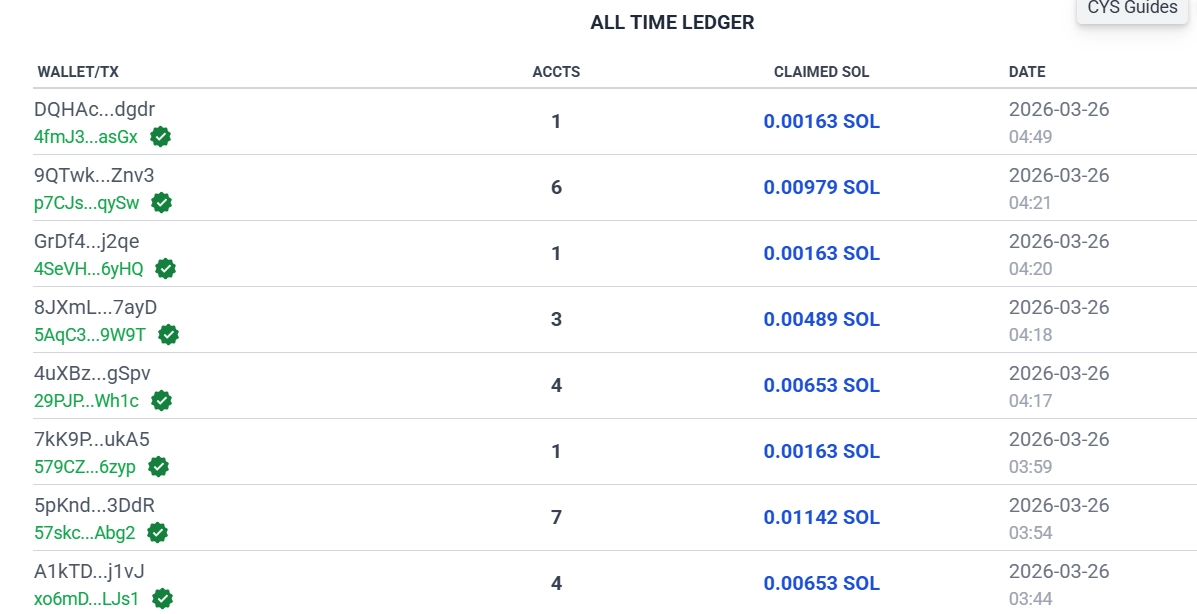
Free SOL just sitting there sounds like a pitch. It’s actually a built-in feature of the network: every SPL token account in your wallet holds a small SOL deposit required for on-chain storage. Sell the token or ignore the airdrop, and the account usually stays open, locking that SOL inside.
This isn’t a workaround, it’s how Solana’s rent model is designed to work. The official Solana documentation confirms the deposit is fully recoverable once the account closes. ClaimYourSol automates that close: it scans your wallet, flags unused accounts, and lets you reclaim the locked SOL in a single transaction.
What ClaimYourSol Actually Recovers
Every interaction with Solana leaves a footprint. Buy a meme coin, claim an airdrop, mint an NFT, each one spins up a new SPL account. Most active traders rack up dozens, sometimes hundreds, without noticing. Once the asset inside is gone, the account sits empty but still open, still holding rent.
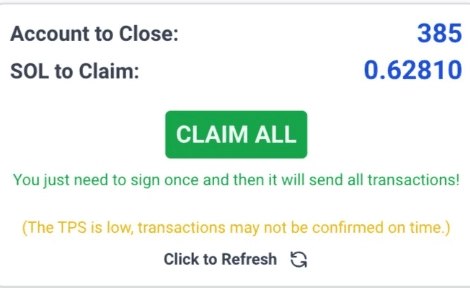
Connect your wallet and the tool scans the full account history, surfacing every account that’s safe to close before anything happens. One click closes them all and routes the accumulated SOL straight to your balance. No manual digging through Solscan, no blockchain background needed.
Per account it’s small, around 0.002 SOL, a number that looks pointless until you’ve got 200 of them. Someone active on Solana since 2022 can easily be sitting on hundreds of dormant accounts, which is the gap between “forget about it” and a meaningful SOL recovery.
Wallet Safety: What It Can and Can’t Touch
Connecting any wallet to a third-party tool deserves scrutiny first. ClaimYourSol is non-custodial: it never holds your assets, never sees your private keys, and can’t move funds without your signature. Every transaction shows up for review before you sign, nothing fires automatically.
The same logic applies to any tool you connect a wallet to, and it’s worth understanding once: see the safety features that protect Telegram trading bot users for the general principle. Read-only wallet scanning carries zero risk; the risk only exists at the signing step, and that step is entirely yours to approve or reject.
- 🔒 Non-custodial: your wallet stays fully under your control at all times.
- 🧠 No private keys required: the tool reads your wallet address, nothing more sensitive.
- ⚡ Transaction preview: you see exactly which accounts close and how much SOL returns before signing.
- 💻 No downloads: runs entirely in your browser, no software installation.
- 🔗 Compatible wallets: Phantom, Solflare, and Backpack all connect without issues.
One honest limitation: ClaimYourSol charges a small service fee taken from the recovered SOL, with the exact breakdown shown before you sign. Also worth noting: always use the official ClaimYourSol link, since phishing clones with similar names exist.
Pros & Cons of ClaimYourSol
Pros & Cons
- Recovers real SOL with zero technical knowledge needed
- Non-custodial, no private keys, no custody risk
- Full transaction preview before you sign anything
- Works with Phantom, Solflare, and Backpack instantly
- Small service fee deducted from your recovered SOL
- Phishing clones exist, always verify the official URL
How Much SOL Can You Actually Recover?
The total depends entirely on how active you’ve been on Solana. Each closed account returns roughly 0.002 SOL, trivial on its own until an active DeFi user turns up 50 to 300+ dormant accounts.
10–25 accounts · ~0.02–0.05 SOL recoverable
25–100 accounts · ~0.05–0.2 SOL recoverable
100–300+ accounts · 0.2–0.5+ SOL recoverable
Heavy NFT minters and memecoin traders land at the high end almost without exception. Every rug pull, every forgotten airdrop, every token you sold left an account behind, and ClaimYourSol finds all of them. You see the exact total before you sign a single transaction.
When ClaimYourSol Is Worth Running
This isn’t a one-time cleanup tool. Here’s when it actually pays to run it:
- 💵 Post-bull-run cleanup: after a memecoin season, wallets fill up fast with dead accounts from tokens that went to zero. One scan after a heavy trading period recovers the most SOL.
- 🧹 Quarterly wallet hygiene: new airdrops and random token sends create fresh accounts constantly. Running ClaimYourSol every few months keeps your wallet clean and your SOL balance growing.
- ⚡ Before a big trade: recovering idle SOL first gives you slightly more capital to deploy without adding new funds.
- 🎁 After airdrop seasons: projects often airdrop tokens to thousands of wallets at once, creating SPL accounts most users never touch. These are the easiest SOL to recover.
- 📱 New wallet setup: if you’re migrating to a fresh wallet, reclaiming your rent deposits first means you carry over more SOL on the way out.
Solana activity always leaves residue. Every interaction creates a footprint, and ClaimYourSol just converts that footprint back into usable SOL. Anyone active on-chain since 2021 or 2022 is often surprised by the cumulative total.
Claiming Your SOL, Step by Step
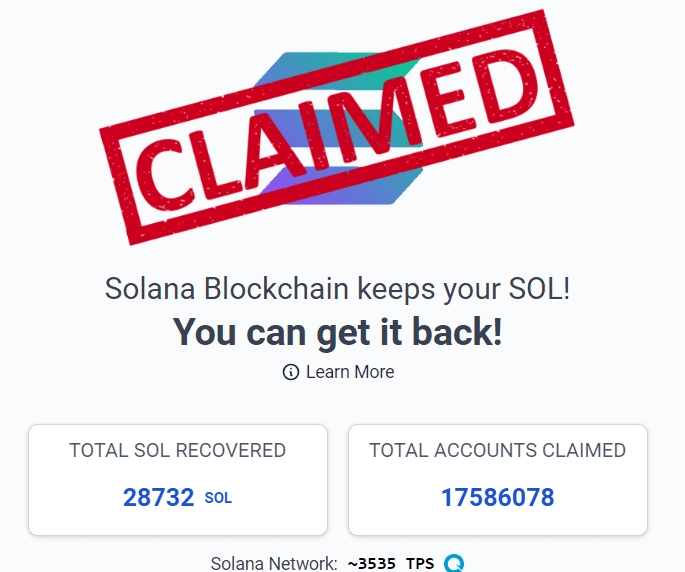
Go to the official ClaimYourSol website
Open your browser and access ClaimYourSol here (official link).
Connect your Solana wallet
Phantom, Solflare, and Backpack all connect without friction. Click connect, approve the read-only request in your wallet extension, and you’re in; nothing beyond your public account data gets shared.
Let the tool scan your wallet
The tool scans your entire account history and flags every SPL account that’s empty and safe to close. It takes a few seconds, with no input needed from you.
Review your reclaimable SOL
You’ll see the full breakdown: how many accounts can be closed, the SOL per account, the small service fee, and your net recovery total. Read it before proceeding; everything’s visible ahead of signing.
Click “Claim All” and sign the transaction
Hit Claim All, then approve the transaction in your wallet. The accounts close in a single batch, and your recovered SOL lands in your wallet instantly, with no wait time.
Repeat every few months
New SPL accounts accumulate with every on-chain interaction. A quarterly cleanup keeps you from leaving SOL sitting idle for long, and the whole pass takes under 2 minutes.
Getting the Most Out of Every Claim
ClaimYourSol is simple by design, but a few habits make it even more effective:
- ⏳ Avoid network peak times: Solana fees are tiny, but high congestion can slow or fail transactions. Early mornings or late evenings typically see cleaner execution.
- 🧹 Run it quarterly: every airdrop, every meme coin buy, every token receive creates a new account. A routine cleanup every 3 months keeps the recovery amounts healthy.
- ⚡ Stick to supported wallets: Phantom and Backpack offer the smoothest experience with no lag or signing bugs. If you hit an issue, try a different supported wallet.
- 👀 Always review before signing: the transaction preview shows exactly which accounts close and the exact SOL returning. If anything looks unexpected, stop and investigate before approving.
- 💬 Share it with fellow traders: most Solana users have no idea this SOL is recoverable. Telling a trading contact about ClaimYourSol costs nothing and might feel like a gift.
The biggest single payoff moment is right after a memecoin cycle ends. Rotate through dozens of tokens in a short window and dozens of dead accounts pile up fast; cleaning up right after the cycle closes catches that residue while the amounts are at their peak.
Frequently Asked Questions
ClaimYourSol is legitimate. It recovers SOL locked in unused SPL token accounts through a standard Solana mechanic documented by Solana Labs itself, not a workaround or exploit. It never asks for private keys and can’t touch funds without your signed approval on each transaction.
4.9 out of 5. It does exactly what it claims: fast, transparent SOL recovery with nothing hidden before you sign. The only real downside is the small cut taken from your recovered balance, and that’s shown upfront, not buried in fine print.
Yes. Scanning is read-only and carries no risk at all; the only point where risk exists is the signing step, and that’s entirely under your control since every transaction needs your explicit approval first.
Each closed account returns approximately 0.002 SOL. Active traders and NFT users with 100 or more dormant accounts can recover 0.2 to 0.5+ SOL in a single claim, with the exact total shown before you commit.
Yes, a small portion of the recovered SOL goes to support the service, shown transparently in the preview before you sign. Worth weighing against the alternative, which is leaving that SOL locked indefinitely for $0 recovered.
Every few months is the sweet spot for most active Solana users. New SPL accounts accumulate with every token interaction, so a quarterly cleanup keeps your wallet lean and ensures you’re not leaving rent deposits sitting idle long-term.
Resources