
Is ClaimYourSol legit? Our verdict and rating
Yes, ClaimYourSol is legit, and we rate it 4.9 out of 5. It uses a standard Solana mechanic: close the token accounts you no longer use and get back the SOL rent each one locked up. Your SOL was never gone; the tool gives you the button to take it back.
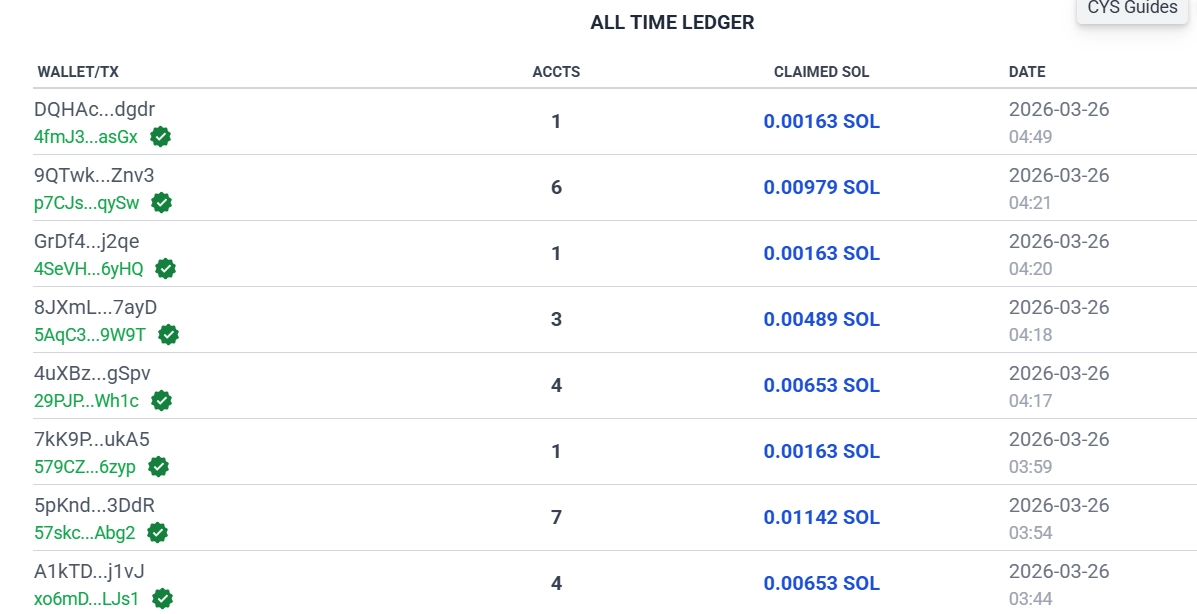
The rating comes with two conditions. ClaimYourSol keeps a small service fee from what it recovers, shown before you sign, and phishing clones with similar names exist, so only use the official link.
Where reclaimed SOL comes from: rent deposits
Every SPL token account in your wallet holds a small SOL deposit for on-chain storage. Buy a memecoin, claim an airdrop, mint an NFT: each one opens a new account. Sell the token or ignore the airdrop and the account usually stays open, rent still locked inside.
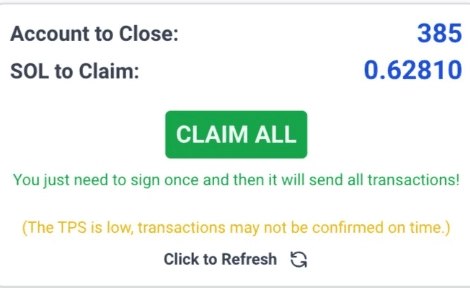
That isn't a loophole; it's how the rent model works. The Solana documentation on accounts confirms the deposit comes back once the account closes. ClaimYourSol automates the close: it scans your wallet, flags the empty accounts and reclaims the SOL in a single transaction.
Per account it's around 0.002 SOL, which looks pointless until you have 200 of them. Anyone trading on Solana since 2022 can easily be sitting on hundreds of dead accounts.
What ClaimYourSol can and cannot touch in your wallet
ClaimYourSol is non-custodial: it never holds your assets, never sees your private key and can't move funds without your signature. Scanning is read-only. The only moment that carries risk is the signing step, and that step is yours to approve or reject.
- Non-custodial: your wallet stays under your control the whole time.
- No private key: the tool reads your public address, nothing more sensitive.
- Transaction preview: you see which accounts close and how much SOL returns before you sign.
- Nothing to install: it runs in the browser.
- Wallets: Phantom, Solflare and Backpack all connect.
The same rule applies to every tool you connect a wallet to; our guide on the safety features that protect bot users covers it once and for all. ClaimYourSol is also listed in Phantom's app directory.
How much SOL you can reclaim
It depends entirely on how active you've been: each closed account returns roughly 0.002 SOL. Active wallets typically recover 0.05 to 0.5+ SOL.
| Profile | Dormant accounts | Recoverable |
|---|---|---|
| Occasional user | 10 to 25 | about 0.02 to 0.05 SOL |
| Regular trader | 25 to 100 | about 0.05 to 0.2 SOL |
| Active DeFi or NFT user | 100 to 300+ | 0.2 to 0.5+ SOL |
Heavy NFT minters and memecoin traders land at the top end: every rug, every forgotten airdrop and every token you sold left an account behind. These are typical ranges, not a promise, and the tool shows your exact net total before you sign.
ClaimYourSol pros and the service fee
It does exactly what it claims, fast and in the open; the catch is the cut it takes.
Strengths and limits
Strengths
- Recovers real SOL without any technical knowledge
- Non-custodial: no private key, no custody risk
- Full transaction preview before you sign
- Works with Phantom, Solflare and Backpack
Limits
- A service fee comes out of the recovered SOL
- Phishing clones exist, so check the URL every time
The fee is shown upfront, not buried in fine print. Weigh it against the alternative: leave the SOL locked and recover nothing.
When to run ClaimYourSol
Run it after the moments that leave the most dead accounts behind.
- 💵 After a memecoin season: wallets fill up with accounts from tokens that went to zero. That's when one scan recovers the most.
- 🎁 After airdrop waves: projects airdrop to thousands of wallets at once, and most people never touch those accounts. Easiest SOL to get back.
- ⚡ Before a big trade: idle rent becomes a bit more capital without topping up.
- 📱 Before moving to a new wallet: reclaim the deposits first and carry more SOL over.
- 🧹 Every quarter: new airdrops and random token sends keep opening accounts.
How to reclaim SOL with ClaimYourSol, step by step
Six steps, under two minutes for the whole pass.
- Open the official site. Go to ClaimYourSol through our official link.
- Connect your wallet. Phantom, Solflare or Backpack. Approve the read-only request; only public account data is shared.
- Let it scan. The tool goes through your full account history and flags every empty account that's safe to close.
- Review the numbers. Accounts to close, SOL per account, the service fee and your net total. Read it all before you go on.
- Claim All and sign. Approve the transaction in your wallet. The accounts close in one batch and the SOL lands right away.
- Repeat every few months. Accounts pile up with every on-chain interaction.
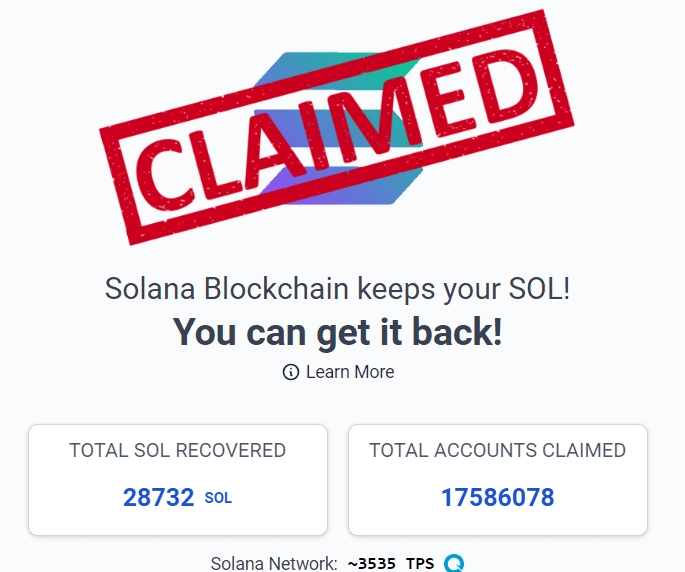
Getting more SOL from each claim
A few habits make each pass cleaner.
- ⏳ Avoid peak hours: fees are tiny, but congestion can slow or fail the transaction. Early mornings and late evenings run cleaner.
- 👀 Always read the preview: if an account or amount looks unexpected, stop before approving.
- ⚡ Stick to supported wallets: Phantom and Backpack give the smoothest signing. If something hangs, try another supported wallet.
- 🔁 Time it after a cycle: rotate through dozens of tokens and dozens of dead accounts pile up. Clean up right after the cycle closes.
If you trade memecoins on Solana, this pairs well with a token-approval cleanup; see our guide to revoking token approvals.
ClaimYourSol fee and safety questions
Does ClaimYourSol charge a fee?
Yes. A small share of the recovered SOL pays for the service, and it appears in the preview before you sign. Nothing is charged if you don't claim.
Is it safe to connect my wallet?
Yes. The scan is read-only and carries no risk. ClaimYourSol never asks for your private key, and nothing moves without your signed approval on the transaction. Use the official link, because phishing copies exist.