
TRON fees sit near zero, SunPump drops new memecoins almost every hour, and SunSwap absorbs all that volume. Trade TRX tokens without a Tron sniper bot and you’re showing up after the good entries are gone. Here’s how Maestro Bot handles TRX sniping in 2026, and how we test the bots we cover.
Key Takeaways
- Maestro Bot snipes SunSwap and SunPump launches on TRON at block-0 speed.
- Patented Anti-Rug protection and a contract scanner flag honeypots before you buy.
- Maestro spans 15 chains, TRON included, from one Telegram interface.
- Non-custodial and free to start, no subscription required.
Why Snipe on TRON in the First Place
TRON processes roughly 2,000 transactions per second at near-zero gas. Run 50 snipes a day here and the cost barely registers, where the same volume on Ethereum would chew through a real chunk of your gains.
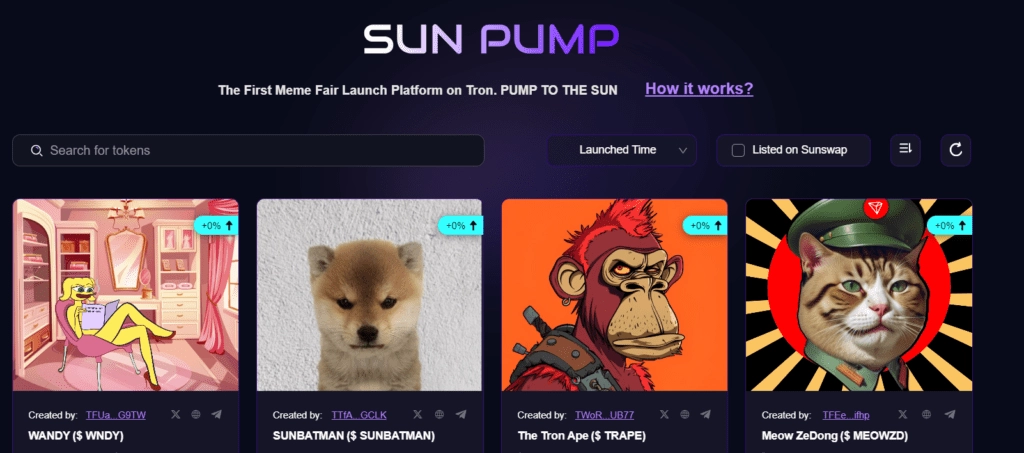
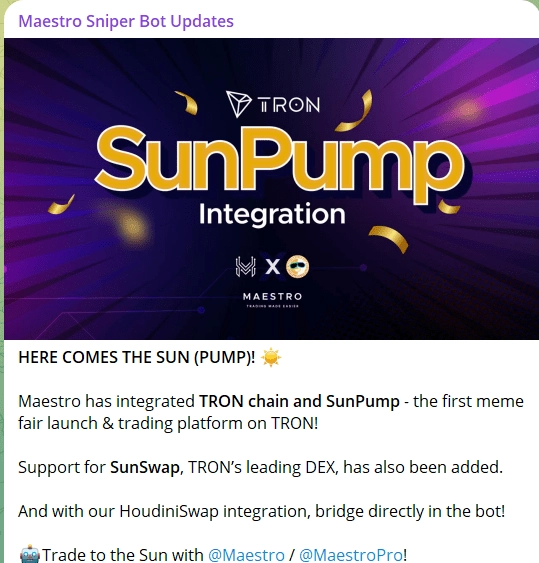
SunPump pushes out new fair-launch projects daily, and SunSwap is where most of those tokens trade once they migrate. Maestro Bot plugs into both platforms natively, covering the whole lifecycle from bonding curve to DEX listing.
The catch: cheap deployment also means cheap scams. A contract scanner and honeypot detection aren’t nice extras on TRON, they’re the baseline, and Maestro ships with both.
Maestro Bot’s TRON Toolkit at a Glance
| Bot | Chains | Features | Fee | Start |
|---|---|---|---|---|
 |
TRON
ETH
SOL
+12 more |
Auto Sniper
Copy Trading
Anti-Rug
Contract Scanner |
1% | Start |
Maestro Bot Goes Deep on TRON Safety

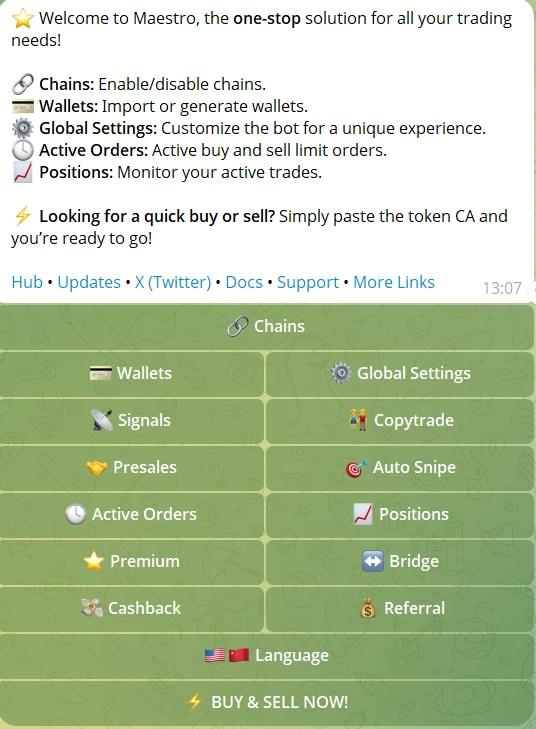
Maestro Bot covers 15 chains, has moved over $12.8B in lifetime volume, and counts 573,000+ users, which makes it the closest thing to a benchmark in Telegram bot trading right now. Fees run 1% per transaction on TRON, offset by a cashback tier that returns up to 30% based on volume. Premium adds simulation tools and 10 copy-trade wallets, but the free tier handles TRON sniping with no caps.
- 🎯 Auto Sniper (Block-0): catches new liquidity on SunSwap and buys before manual traders react, with Dynamic Max Buy Adjustment to cut down on rejected snipes.
- 🛡️ Anti-Rug Protection (Patented): watches the mempool for malicious transactions and frontruns them, selling your position before a rug, blacklist, or tax hike lands.
- 👥 Copy Trading: 3 wallets on the free tier, 10 on Premium; Track Only mode lets you watch a wallet before risking capital.
- 📊 Limit Orders 2.0: multiple TP/SL levels per position, ladder sells, staged exits, all editable after you set them.
- 📈 DCA: set interval, duration, and total amount for systematic entries into TRON tokens.
- 🌉 Bridge (Houdini Swap): move funds from ETH, SOL, or any of the 15 chains into TRX without leaving Telegram.
- 💼 Multi-Wallet Management: up to 10 wallets on Standard, with dedicated snipe wallets per chain.
- 💰 Cashback Program: up to 30% back on fees, claimed through the /cashback command in-bot.
Pros & Cons
- Patented Anti-Rug protection watches the mempool and auto-sells before a rug executes
- Contract scanner flags honeypots and blacklist functions before entry
- Positions Ledger tracks all open trades across 15 chains in one panel
- Up to 30% cashback on trading fees through the in-bot cashback program
- 1% trading fee on TRON, with no zero-fee tier
- Telegram-only, no web terminal or browser extension
What Actually Matters in a TRX Sniper Bot
So, Is It Actually Safe to Use One?
Maestro is non-custodial, with private keys AES-encrypted and never leaving your control. That said, the bot matters less than what you point it at. TRON’s cheap deployment costs mean honeypot contracts and blacklist tokens show up constantly on SunPump. Maestro’s patented Anti-Rug system and contract scanner give you a real layer of protection against them.
The practical rule: never import your main cold wallet into a trading bot. Fund a dedicated hot wallet with only the capital you’re actively trading, so a scam contract caps your loss instead of draining everything. With Maestro’s scanner running, a lot of those contracts get flagged before you even buy.
- 🔄 SunSwap Integration: the core router for swaps and liquidity snipes; non-negotiable for any TRON bot.
- 🚀 SunPump Monitor: catches fair-launch tokens in real time at the bonding curve stage.
- ⛔ Stop-Loss and Take-Profit: locks in gains and cuts losers automatically, no manual watching required.
- 🛡️ Contract Scanner: flags honeypots, blacklist functions, and high-tax traps before your capital goes in.
- 👥 Copy Trading: mirrors winning wallets while you sleep.
- 💼 Multi-Wallet Support: splits risk across parallel strategies without juggling separate accounts.
How TRON Traders Actually Use This Bot
The bot handles execution. What separates profitable TRON traders is the setup before a launch goes live. Here’s what works with Maestro on TRON right now.
- 🎯 Block-0 SunPump Snipe: feed Maestro’s Auto Sniper a contract address from a trusted alpha group; it fires the instant liquidity appears, ahead of any manual buyer.
- 🔄 Migration Snipe: set a buy trigger on SunSwap for the moment a SunPump token finishes its bonding curve; those windows last seconds and you won’t catch them by hand.
- 👥 Copy Top TRON Wallets: point Maestro’s copy trading at wallets with a strong win rate on SunPump, cap your spend per buy, and let it replicate entries automatically.
- 📉 Limit Orders on Dips: set a limit buy below current price on a strong TRON token, then walk away and let it fill during a dip.
- 📊 DCA into Strength: use Maestro’s DCA feature to accumulate a strong SunPump token over a set interval instead of buying all at once.
One TRON-specific edge: because gas is near zero, you can run dozens of small buys without fees eating the returns. Maestro’s DCA feature, with its configurable interval and total amount, makes accumulating into a strong SunPump token cheap and mechanical.
For strategy ideas beyond TRON, check our full guide to the best Telegram sniper bots.
Setting Up Your First TRON Snipe
Launch Maestro Bot
Open Maestro Bot in Telegram for contract scanning, Anti-Rug protection, and copy trading on TRON. Start the bot and setup takes under 2 minutes.
Create a Dedicated Hot Wallet
Maestro generates a fresh wallet on setup. Don’t import your main cold wallet. Fund the new one with only the TRX you plan to trade, and keep your main holdings separate.
Configure Your Trading Preferences
Set your max buy amount, slippage tolerance, stop-loss, and take-profit. Switch on the contract scanner and Anti-Rug protection before your first snipe. Five minutes here protects every trade that follows.
Paste a Contract Address and Snipe
Found a new SunPump token through an alpha channel or your own research? Paste the contract address into the bot. It auto-buys the instant liquidity lands, at your configured parameters. No manual clicking required.
Monitor and Automate Exits
Let the bot run your TP/SL settings, or switch to copy trading and follow a proven TRON wallet automatically. Maestro’s Positions Ledger gives you a live view of everything open.
Staying Safe on a Chain Full of Scam Contracts
The same speed and low cost that make TRON great for sniping also make it cheap to deploy scams on. A few habits separate traders who stay profitable from those who blow up a wallet on a honeypot. Always verify contracts before buying from an unknown source; a fast bot is just as good at buying a perfect scam as a real token.
Keep your main cold wallet completely separate from any bot wallet. Run a fresh hot wallet per active strategy and fund it only with capital you’re actively trading. Monitor dev wallets with Maestro’s tracker to catch early signs of a rug before the chart shows it.
One TRON-specific detail worth knowing: the blacklist function is a common rug mechanic on TRC-20 tokens. Maestro flags contracts that include one before you buy.
Frequently Asked Questions
Maestro Bot is the strongest pick for TRON in 2026, combining block-0 sniping, patented Anti-Rug protection, a contract scanner, copy trading, and 15 chains from a single Telegram interface.
Yes. Maestro can snipe at the bonding curve stage and auto-buy the moment a token migrates to SunSwap.
Maestro is non-custodial and quick to set up. If you’re new, start with a small funded hot wallet, turn on stop-loss, and run the contract scanner before buying anything unfamiliar. Don’t put in more than you can afford to lose on a new launch.
NFD Tron Bot exists in the same space, but this guide sticks to bots with proven execution speed and reliability under real trading volume. It may work fine for some traders, it just hasn’t shown the same track record as Maestro.
Yes. Maestro’s free tier lets you follow up to 3 wallets, with Track Only mode to watch before committing funds. Premium raises that to 10 wallets.
Maestro charges a 1% fee per trade on TRON, with a cashback program that returns up to 30% of fees based on your trading volume. There’s no subscription cost to start.
Resources