
If you trade with Telegram bots, DeFi apps, or new tokens, you hand out token approvals to smart contracts constantly. Some of those approvals stay active forever, and a single bad contract can drain your wallet at any time. The good news: you can revoke these permissions for free, on every chain, in minutes.
Key Takeaways
- Token approvals stay active forever until you revoke them manually.
- Revoke.cash covers almost every EVM chain for free.
- Solana Revoker handles delegate permissions that persist after disconnecting.
- ClaimYourSol recovers SOL locked in empty SPL token accounts.
Free Token Approval Revoker Tools
Every time you swap a token, use a Telegram bot, or interact with a DeFi protocol, you grant a spending allowance to a smart contract. That allowance does not expire on its own. Even months later, if that contract gets exploited or turns malicious, it can move your tokens without any further action from you. Revoking approvals sets those allowances back to zero.
🔒 1. Revoke.cash
Best for EVM chains: Ethereum, Polygon, BNB Chain, Arbitrum, Optimism, and more. Revoke.cash is the most trusted token approval revoker for EVM traders. Connect your wallet, select the network, and every active approval appears in a clean list. Click Revoke next to any contract you no longer trust and confirm the transaction in your wallet. A browser extension also warns you about risky approvals before you sign. If you use Telegram trading bots on any EVM chain, this is the tool to check weekly.
🔍 2. Unrekt (Allowance Checker)
Unrekt is fast and minimal. It scans your wallet across many EVM networks and returns a clean list: spender address, token, and allowance value. There are no extra features or dashboards. When you want a quick scan without the overhead, this is a solid choice.
📊 3. DeBank Permissions
DeBank is primarily a multi-chain portfolio tracker, but its Permissions tab shows exactly which contracts can spend your tokens. If you already use DeBank to monitor assets across chains, the approvals panel is built in. The mobile app makes it easy to review permissions after using a new Telegram bot or DEX.
🦊 4. MetaMask Portfolio
If you already use MetaMask, the Portfolio dashboard has a built-in allowance manager for Ethereum, Polygon, and BNB Chain. You can view, reduce, or remove unlimited approvals without installing anything new. For MetaMask users, this is the fastest path to revoking crypto approvals with no extra steps.
👻 5. Phantom Wallet (Solana)
Phantom shows connected apps, trusted websites, and active sessions inside the wallet itself. It does not expose every type of Solana permission, but it is the right first step: disconnect anything unfamiliar, then follow up with a dedicated Solana tool below. Think of it as a quick triage before the full cleanup.
🔱 6. Solana Revoker
Solana uses delegate permissions instead of ERC-20 allowances, and those delegates stay active even after you disconnect a dApp. Solana Revoker scans all token approvals, NFT approvals, unknown delegates, and suspicious permissions, then lets you remove them in a single click. If you trade SPL tokens or use Solana Telegram bots, this tool is essential after every new protocol interaction.
🛠️ 7. CoinTool (ct.app)
CoinTool is a multi-tool platform covering Ethereum, BNB Chain, and Tron, with an approval checker as one of its built-in utilities. It works as a solid backup scanner or a quick second opinion when you want to cross-check another tool’s results.
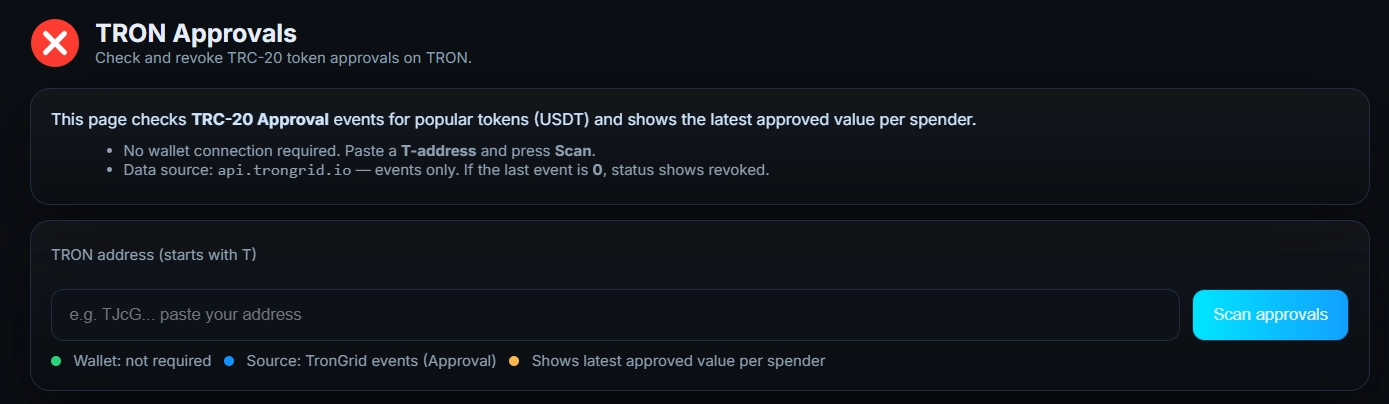
🌐 8. Revoker.info (Tron)
For Tron users, this is the cleanest free option. Paste your TRON address, and every active TRC-20 approval appears in a list. Revoke one by one with no wallet connection required for the initial scan. Simple and effective for anyone active on the Tron network.
🔶 Bonus: ClaimYourSol (Recover SOL You Did Not Know You Had)
This one is not a revoker, but it belongs in this list. Every time you trade a Solana meme coin, mint an NFT, or claim an airdrop, a small SPL token account gets created. Each one locks up a tiny amount of SOL as “rent.” Those accounts do not close automatically when you are done with the token. FREE
ClaimYourSol scans your wallet for these empty accounts, shows you how much SOL each one is holding, and closes them safely, sending all the recovered SOL back to you. It is non-custodial and takes about 30 seconds. If you have been active on Solana for any length of time, expect to find recoverable SOL waiting for you.
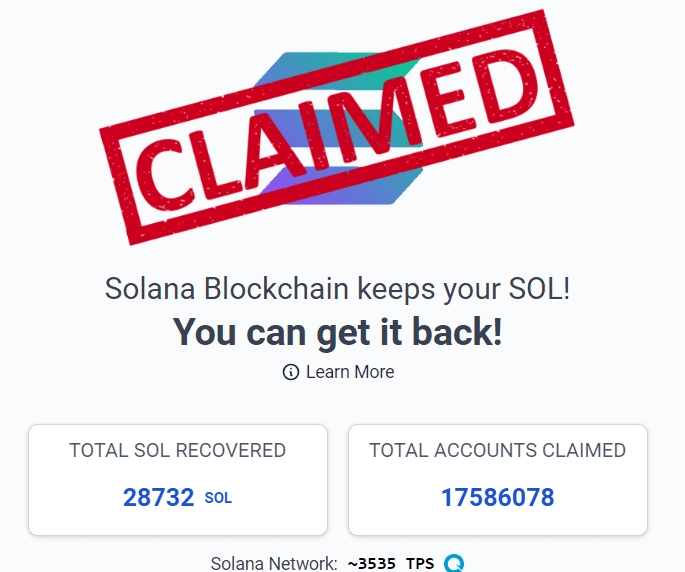
Think of it as a wallet cleanup that pays you back. Most traders use it alongside Solana Revoker as a one-two cleanup routine after heavy on-chain activity. Use the link below to try it directly.
Are These Revoker Tools Safe to Use?
The only cost involved is a small gas fee for each revocation, since every revoke is a real blockchain transaction. On BNB Chain, Polygon, or Arbitrum, that cost is usually a few cents. On Ethereum mainnet it can be higher during peak activity. The tools themselves are free.
One honest limitation: these tools work best when you already know which wallets to check. If you spread activity across multiple wallets, you will need to run each one separately. That is a normal workflow for anyone using a burner wallet strategy alongside a main wallet. If you are not already using separate wallets for Telegram bots, that is the single highest-impact habit you can add today, as covered in the crypto trading bot safety section.
How to Revoke Crypto Approvals Step by Step
EVM Chains (Ethereum, BNB Chain, Polygon, Arbitrum, and others)
- Open Revoke.cash and connect your wallet.
- Switch to the network you want to check.
- Click Revoke next to any contract you do not recognize or trust.
- Confirm the transaction in your wallet. Done.
Solana
- Open Solana Revoker and connect Phantom.
- Let it scan your delegate permissions.
- Click Revoke on anything suspicious. Your wallet is clean.
Tron
- Go to Revoker.info and paste your TRON address.
- Review your TRC-20 approvals and revoke one by one.
Pro Tips for Staying Safe With Telegram Bots
These are small habits, but they prevent most wallet drains. Most hacks happen because traders forget about old approvals given to contracts they no longer use.
- 🔥 Use a burner wallet: keep a separate wallet for Telegram bots and DeFi. Never use your main holdings wallet.
- 🚫 Avoid unlimited approvals: set exact amounts when possible rather than approving the maximum.
- 📅 Check approvals weekly: a 5-minute Revoke.cash scan is faster than recovering a drained wallet.
- 📱 Disconnect WalletConnect sessions: open your wallet’s connected apps list and remove sessions you no longer need.
- 💰 Keep low balances in hot wallets: only fund what you plan to trade in the next session.
- 🤖 Review bot permissions carefully: if a Telegram bot asks for more permissions than it needs to execute trades, that is a red flag.
Frequently Asked Questions
Use Revoke.cash or Unrekt. Connect your wallet, select the network, and click Revoke next to any contract you no longer trust. Each revoke is a small on-chain transaction that resets the allowance to zero. It works the same way on all major EVM chains.
Old approvals stay active indefinitely. If a contract you approved months ago gets exploited, it can still drain the tokens you approved. Revoking closes that door permanently. It is one of the simplest ways to reduce on-chain risk without changing how you trade.
Yes, revoking is an on-chain transaction so it costs gas. The fee is usually small on BNB Chain, Polygon, or Arbitrum. The revoker tools themselves are completely free. You only pay the normal network fee.
Solana uses delegate permissions instead of ERC-20 allowances. Use Solana Revoker: connect Phantom, let it scan your wallet, and click Revoke on any active delegate. These permissions persist even after you disconnect a dApp, so a dedicated tool is necessary.
Yes. If you approved a malicious contract, it can drain those tokens at any time, even while you are offline. This is why burner wallets, limited allowances, and weekly approval checks matter. Revoking removes that risk entirely by closing the spending permission.
ClaimYourSol scans your Solana wallet for empty SPL token accounts that are holding SOL as rent. It closes those accounts safely and returns the recovered SOL directly to you. It is free, non-custodial, and takes about 30 seconds to run.
Resources