
Polymarket’s top wallets are public, ranked, and trading right now. The traders who called major political and crypto outcomes weeks early got in before consensus formed and sized with discipline. By the time you spot them on the leaderboard and act manually, the entry is already gone. This guide shows you how to find those wallets, run a free analysis on them before you copy a single dollar, and activate Polymarket copy trading inside Telegram using PolyGun in under 5 minutes.
Key Takeaways
- PolyGun mirrors top Polymarket wallets the instant they trade.
- Free wallet analytics available before copying a single dollar.
- Setup takes under 5 minutes inside Telegram, zero gas fees.
- PolyGun covers 2.3M+ traders and 183K+ markets via analytics data.
What Is Polymarket Copy Trading?
Polymarket is the largest on-chain prediction market. The wallets worth copying build edge in specific categories: they enter before consensus forms and size with discipline rather than spreading bets across everything. Copy trading mirrors those wallets automatically so you capture the same entry at the same time, without having to monitor markets around the clock. PolyGun runs this inside Telegram with zero gas fees. Start PolyGun free here.
Step 1: Find Wallets That Are Actually Worth Copying
There are 3 ways to find wallets worth copying. Options B and C are available directly inside PolyGun without leaving Telegram.
Option A: Polymarket Leaderboard. The most transparent starting point. Browse real wallets ranked by monthly profit at the Polymarket monthly profit leaderboard. You are looking for wallets with consistent profit across many trades, a clear category focus, and entries that happened before price momentum shifted. Not wallets that got lucky on one big call.
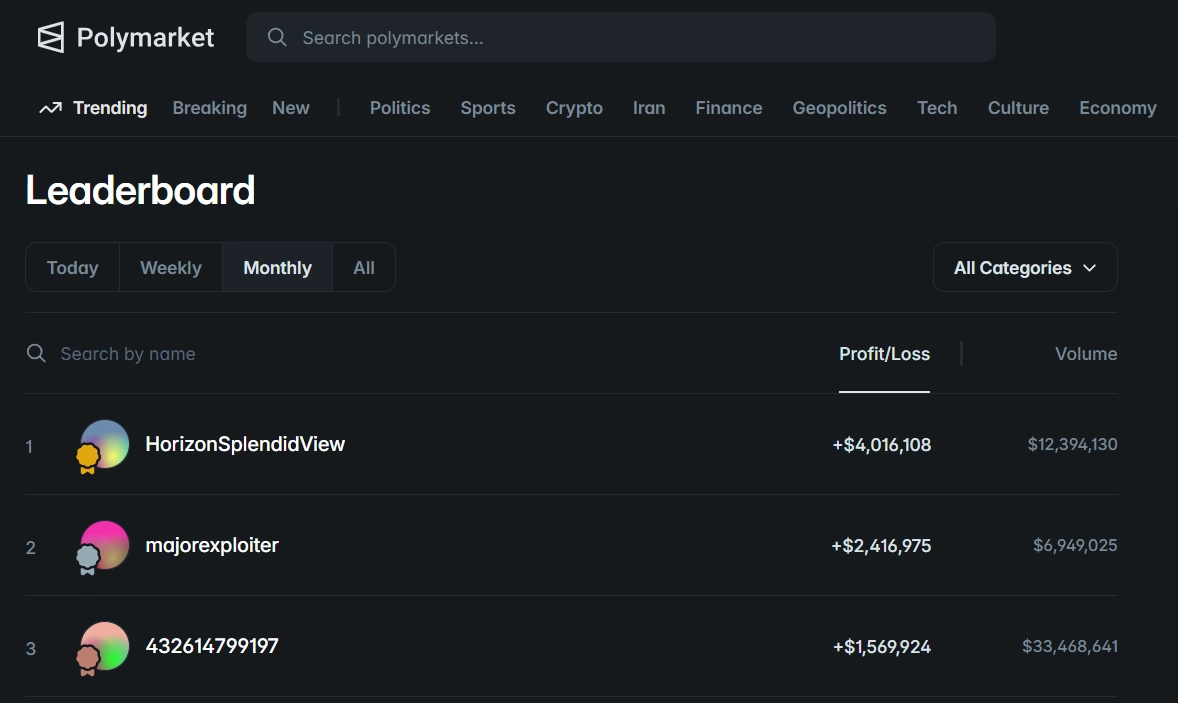
When you are evaluating a leaderboard wallet, here is what to look for and what to skip.
Copy these: consistent profit across many trades, a clear category focus in geopolitics or crypto or sports, and disciplined sizing with a few conviction trades rather than 50 micro-bets scattered everywhere.
Skip these: big totals built from only 1 or 2 trades, activity spread across unrelated categories with no clear specialty, and heavy volume in illiquid markets where the spreads are wide.
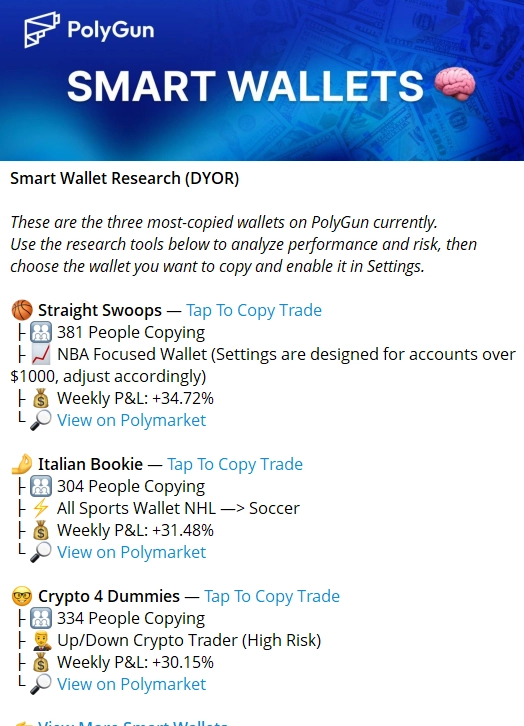
Option B: PolyGun Built-In Discovery. Browse, filter, and evaluate top wallets without opening any external site. Filter by profit, win rate, trade count, and market category. Pull a full wallet profile and copy the address to activate, all inside Telegram.
Option C: PolyGun Smart Wallet Analytics (recommended). Paste any wallet address and get a full breakdown before copying a single trade. This is the step most people skip and the one that matters most.
- 📊 Win Rate: Signal quality over time, not isolated luck from one lucky resolution.
- ⏱ Entry Timing: Did they enter early, at peak, or after momentum had already shifted.
- 🎯 Category Breakdown: Which event types this wallet actually outperforms.
- 💰 Position Sizing: Consistent and disciplined or erratic with no pattern.
- 📈 Performance Trend: Is the edge growing, stable, or fading this month.
A wallet with a 72% win rate in geopolitics but losses in sports is only worth copying on geopolitics markets. PolyGun’s analytics tells you this before you risk a dollar. Set a category filter based on what you find here and you are only copying where the edge is actually real.
Step 2: Set Up PolyGun Inside Telegram
No app install. No MetaMask. No browser dashboard. Everything runs inside Telegram and the whole setup takes under 5 minutes. Three steps and you are live.
Open PolyGun in Telegram
No install needed on any device. Launch PolyGun here and open the bot in Telegram to get started immediately.
Generate Your In-Bot Wallet
PolyGun creates a secure non-custodial wallet for you instantly in 2 taps. No MATIC needed, no external wallet required. Your private key is exportable at any time so your funds are always yours.
Deposit USDC to Fund Your Wallet
The minimum deposit is $1 USDC to activate, but $20 to $50 or more gives you position sizes that are worth tracking. PolyGun supports auto-bridging from Polygon, Solana, Ethereum, and BNB Chain into USDC, so you can deposit from whichever chain you already hold funds on.
Step 3: Activate Copy Trading and Configure Your Settings
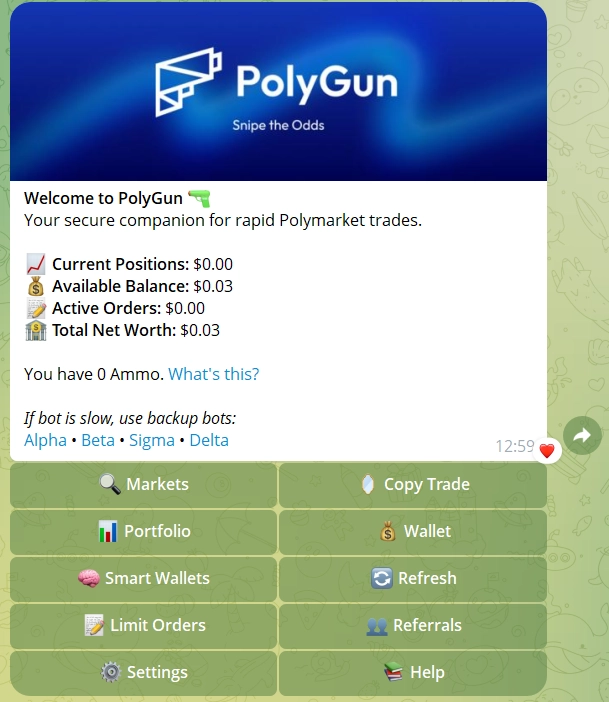
Once you have confirmed a wallet has real edge in PolyGun’s analytics, activating Polymarket copy trading takes under a minute from the main bot menu. Here is exactly how to do it.
Go to Copy Trading in PolyGun
Accessible directly from the main bot menu. No external site needed at any point.
Paste the Target Wallet Address
Or select directly from wallet discovery results inside the bot if you found the wallet through PolyGun’s built-in discovery tool.
Set Your Copy Size
Choose a fixed USDC amount per trade or a percentage of your balance. Proportional sizing is safer when you are copying wallets that trade much larger amounts than your account holds.
Apply Filters
Skip illiquid markets, cap max trade size, and set exposure limits per category. The liquidity filter is the one you should never skip: it auto-ignores thin markets where your order would move the price and give you a worse entry than the wallet you are copying received.
Activate and Let It Run
PolyGun mirrors every entry instantly with gasless execution. No MATIC required. When the target wallet opens a position, yours opens at the same time with no delay and no browser needed. You do not have to be online.
CopyTrading Settings
Proportional sizing protects your balance when copying wallets that trade much larger amounts than your account. Start here if you are new to copy trading on Polymarket.
Copy 2 to 3 specialists across geopolitics, crypto, and sports. When one is cold, the others carry. Single-wallet concentration is the most common mistake new copy traders make.
Get notified every time a copy trade triggers so you stay informed without watching the markets manually around the clock.
Auto-skip thin markets where your order moves the price and gives you a worse fill than the wallet you are copying. Turn this on from day one.
Step 4: Track Whether Your Copy Trading Is Working
All tracking stays inside Telegram. PolyGun’s portfolio dashboard shows live PNL, open positions, win rate, and performance trends in real time. You do not need to open any external site or browser to see where you stand.
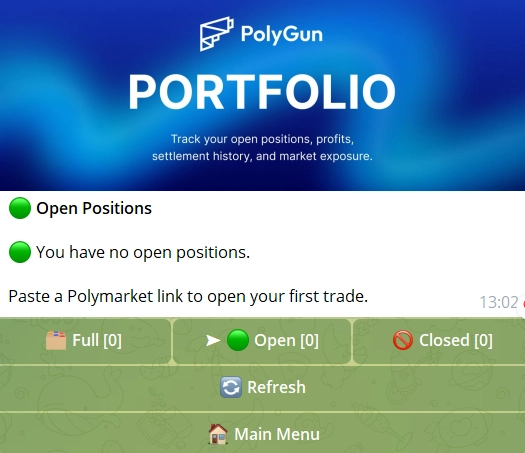
- 📊 Live PNL: Real-time profit and loss on every open copied position.
- 🏆 Win Rate Over Time: Signal quality across all copied wallets, not a snapshot from one good week.
- 🎯 Category Performance: Which market types are generating returns and which are dragging you down.
- ⏱ Entry Timing: Whether your copies are entering before or after momentum has already shifted.
- 📈 Performance Trend: Identify which strategies are compounding reliably over time.
- 🔔 Alert History: A full log of every copy trade notification sent to you.
Review every 2 to 4 weeks. A wallet ranked high last month may be fading now, and the trend line inside PolyGun shows this before the leaderboard ranking drops. That gives you time to rotate while there is still something to protect. A declining trend line is your signal to act, not wait for confirmation.
For the Polymarket copy trading strategy to compound over time, you need 2 to 3 active wallets covering different categories. When one specialist is cold, the others keep the portfolio moving. Relying on a single wallet is the most common mistake people make when starting out.
What Else PolyGun Can Do
PolyGun is not a single-feature tool. All of this runs inside Telegram with no extra apps, no browser extensions, and zero gas fees on every action. The March 2026 acquisition of Polymarket Analytics adds access to data covering 2.3M+ traders, 183K+ markets, and 120M+ positions.
- 🧠 AI Market Predictions: Real-time probability adjustments using on-chain and off-chain signals.
- 🔔 Volume Spike Alerts: Get notified when money flows spike so you can catch momentum early before it is priced in.
- 💰 Limit Orders: Set price targets instead of chasing entries at peak momentum.
- 🔄 Auto Rebalancing: Continuous optimization to avoid overexposure in a single market theme.
- 👛 Wallet Activity Tracker: Watch any wallet’s entries without activating full copy trading. Useful for building conviction before committing.
- 📊 Portfolio Management: Track open and closed positions, daily PNL, and per-market exposure in one view.
- 🌉 Multi-Chain Deposits: Auto-bridging from Polygon, Solana, Ethereum, and BNB Chain into USDC.
- 🖼 Shareable PNL Cards: Generate visual performance cards for social sharing in one tap.
- 📈 CopyTrade PNL Tracking: The CopyTrade tab shows daily and all-time PNL calculated from your actual returns on followed trades, not the trader’s performance.
- 📝 Manual TP/SL: After entering a manual trade, set a stop loss and take profit directly on your position from the Portfolio page.
- 🤖 Auto TP/SL: Define setpoints to automatically manage copy-traded positions. Configure when adding a new trader, or via CopyTrade → Manage for existing ones.
- ✈️ AutoPilot: Put your portfolio on autopilot and let PolyGun execute trades automatically based on conditions you set. Covers arbitrage opportunities, hedge setups, market-close plays, and up/down strategies on BTC, ETH, SOL, and XRP. Configure once and walk away.
- 🌐 10-Language Support: Available in English, Russian, French, Traditional Chinese, Simplified Chinese, Portuguese, Spanish, Japanese, Korean, and Arabic. Adjust your preference in the Settings tab.
The wallet activity tracker is worth using before you commit to full copy trading. Monitor any wallet’s real-time entries passively for a week or two, build conviction that the edge is real and not just a recent streak, then activate copy trading once you are confident. This one extra step saves a lot of frustration later.
The Risks You Need to Manage
Copy trading closes the execution gap but does not change the underlying odds of any market. Every copied position carries real risk, and the best wallets on Polymarket still lose individual trades. Managing these risks is your job, not something the bot can automate for you.
- 📉 The copied wallet opens a losing trade: size small per trade and never size based on past wins alone. Even the strongest wallets go through cold streaks that look nothing like their historical stats.
- 🎯 All your balance on one wallet: spread across 2 to 3 category specialists. Single-wallet concentration is the most common copy trading mistake and the easiest to avoid.
- 🔄 The wallet’s edge fades mid-month: check analytics weekly. Rotate when the performance trend turns negative. Do not wait for the leaderboard to confirm what PolyGun’s trend line already showed you two weeks ago.
- ⚡ Price shifted before your copy filled: accept the spread. Telegram execution is still far faster than any manual approach. The liquidity filter prevents the worst fills on thin markets.
- 🚫 Copy triggered in an illiquid market: enable PolyGun’s liquidity filters from the start. They auto-skip thin markets where your order size moves the price against you.
PolyGun charges a 1% flat fee on each transaction. On a focused strategy with a few conviction trades per week, this is a predictable and manageable cost. If you are copying multiple wallets at high frequency, fees add up faster than expected. Factor this into your sizing decisions before scaling up.
Frequently Asked Questions
Polymarket copy trading automatically mirrors the trades of profitable wallets on Polymarket. When a target wallet opens a position, yours opens the same one instantly using PolyGun inside Telegram. No manual searching, no delayed entries, and no gas fees required.
Start with the Polymarket monthly profit leaderboard or PolyGun’s built-in wallet discovery. Filter for wallets with consistent profit across many trades, a clear category focus, and entries that happened before momentum shifted. Avoid wallets where a big total came from only one or two lucky resolutions.
It depends on which wallets you copy and how you size your positions. Copying wallets with verified category-specific edge and using proportional sizing gives the best results over time. No copy trading strategy eliminates market risk, and individual copied positions can lose even when the wallet has a strong track record. Vet carefully and size conservatively.
No. PolyGun generates a secure non-custodial wallet for you inside Telegram in 2 taps. No MetaMask, no browser extension, no external wallet required. Your private key is exportable whenever you want it. You only need to deposit USDC to start trading.
Yes. PolyGun lets you run 2 to 3 copy targets simultaneously with separate settings for each. Copying specialists in different categories, such as geopolitics, crypto, and sports, reduces single-wallet risk and keeps the portfolio active when one specialist hits a cold streak.
The minimum deposit is $1 USDC. Practically, $20 to $50 gives you position sizes worth tracking. Start small, validate the wallet’s edge over 2 to 4 weeks, then scale up once you have confirmed it performs as expected in real live conditions.
Resources