

The Binance Smart Chain is moving fast again, and the traders catching early entries are not doing it manually. The best BSC sniper bot gives you a speed edge at launch, protects you from rug pulls, and runs the whole operation from Telegram. This guide compares the top Binance Smart Chain trading bots in 2026: Maestro, Sigma, and MevX, so you can pick the right tool and start trading smarter. Read how we evaluate each bot.
Key Takeaways
- Maestro leads on multi-chain depth with God Mode sniping on BSC.
- Sigma detects chains automatically with MEV and re-org protection built in.
- MevX charges only 0.5% on BNB Chain, the lowest fee of the 3.
- All 3 bots are non-custodial and operate directly inside Telegram.
BSC Sniper Bot Comparison
| Bot | Chains | Features | Fee | Start |
|---|---|---|---|---|
 |
ETH
BSC
Base
AVAX |
Auto Sniper
Chain Detection
MEV Protection
No Gas on Fail |
1% EVM | Start |
 |
BSC
ETH
SOL
+12 more |
God Mode
Copy Trade
Anti-Rug
Signals Auto |
1% | Start |
 |
BSC
SOL
ETH
+11 more |
Multichart
Bubble Maps
Demo Mode
Chrome Ext. |
0.5% BSC | Start |
All 3 bots are non-custodial: your private keys stay in your own wallet at all times. None require KYC to start trading. The right pick depends on your priority: Sigma for streamlined EVM sniping with the best safety net on failed transactions, Maestro for the deepest feature set and signal channel automation across 15 chains, and MevX for the lowest BSC fee and a unique Demo Mode to calibrate your strategy risk-free.
Maestro Bot: Multi-Chain King with BSC Power

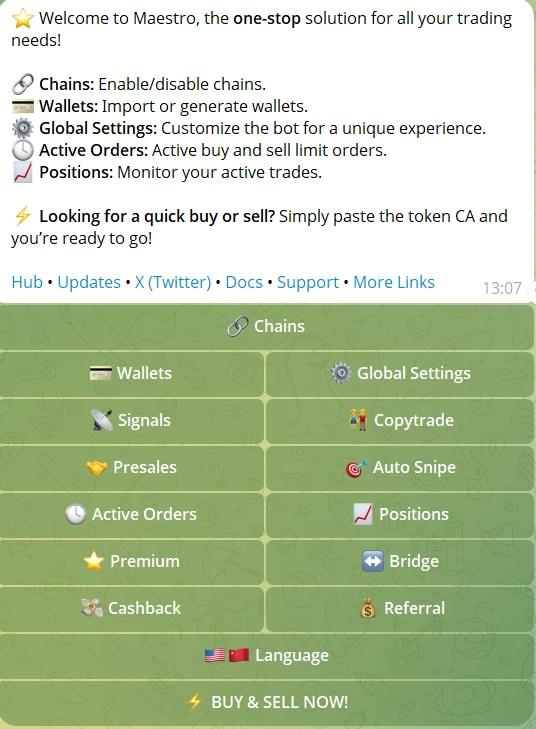
Maestro Sniper Bot is the most established multi-chain trading bot in the space, and its BSC support is among its strongest. With 15 chains covered including BNB Chain, Solana, Ethereum, TON, Robinhood, Stable, Arc, Hyperliquid, and INK, Maestro is the bot you run when you want one interface for everything. Its track record spans 573,000+ users and $12.8B+ in lifetime volume, numbers verified on-chain via Dune Analytics. On BSC specifically, Maestro connects to PancakeSwap V2/V3 and Four.meme, supports X Mode tokens and $U denomination on all BSC trades including Four.meme, and gives you the full feature stack. The Premium plan unlocks the fastest execution, 10 wallets, LaunchTax simulation tools, and priority support. The 1% trading fee applies on BSC, and the cashback program can return up to 30% of fees for active traders. Where Maestro has a real edge over the other bots in this comparison is signal channel automation: if you follow alpha callers on Telegram, Maestro auto-buys the moment a contract is called, with no copy-paste and no delay.
- ⚡ God Mode: buys a token the instant liquidity appears on BSC, with maximum speed at launch and no manual input required.
- 🚀 Speed Boost: a general execution mode that raises transaction throughput for faster fills across all supported chains.
- 🔥 Turbo Mode: enhanced execution speed and responsiveness for active sniping sessions on BSC and beyond.
- 📈 Trending List: surfaces tokens with rising activity before a pump starts, useful for early BSC memecoin positioning.
- 🛡️ Anti-Rug Protection (Patented): detects malicious mempool transactions and frontruns them to exit your position before a rug, blacklist, or tax hike executes.
- 👥 Copy Trading: follow up to 3 wallets on the free tier (10 on Premium); supports frontrun and match modes on BSC.
- 🎯 Limit Orders 2.0: multiple TP/SL levels per position, ladder sells, staged exits, and editable after creation without cancelling.
- 📊 Positions Ledger: a single panel tracking all open positions across all wallets and chains simultaneously.
- 💰 Cashback Program: up to 30% back on trading fees; claim via the
/cashbackcommand in-bot. - 🏷️ X Mode + $U Support: trade X Mode tokens on BSC with $U as the denomination, including on Four.meme launches.
- 🔄 Signals Automation: auto-buy tokens called by any connected Telegram signal channel.
- 📈 DCA: dollar-cost averaging with configurable interval, duration, and total amount.
Maestro Bot: Pros & Cons
- Widest chain coverage at 15 chains including BSC, Robinhood, Solana, ETH, TON, and INK
- Patented Anti-Rug Protection frontruns malicious transactions automatically
- Signal channel automation buys called tokens with zero delay
- Cashback program returns up to 30% of trading fees for active users
- 1% fee is not the lowest available on BSC
- Full feature set requires the Premium plan
Sigma Bot: Fast and Reliable BSC Trading
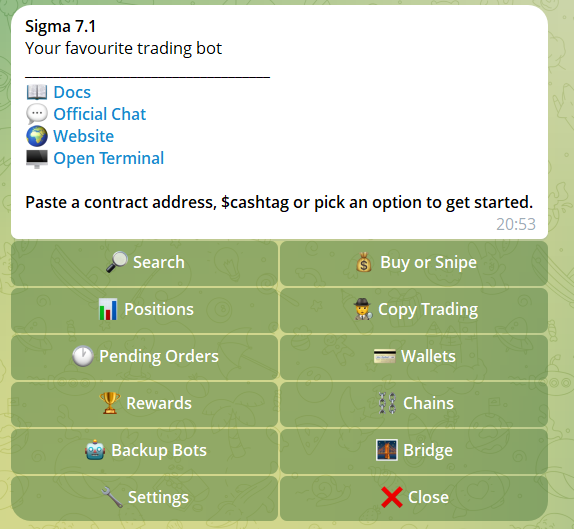
Sigma Bot built its reputation on Base and has since expanded across 8 active chains: Ethereum, BNB Chain, Base, Solana, Avalanche, Robinhood Chain, Arc, and Stable. Its defining feature is automatic chain detection: paste any contract address and Sigma identifies the correct blockchain without you specifying it. For traders moving between chains quickly, that single feature removes a lot of friction. On BSC, Sigma routes through PancakeSwap V2/V3 and offers the full automation stack. The 1% fee on EVM chains is standard, and Sigma does not support Arbitrum or Blast, so traders focused on those chains will need a separate tool. The no-gas-on-failure policy is a practical differentiator: on congested launches where transactions fail at the block level, Sigma does not deduct gas. Pair it with First or Fail mode and the bot either gets in at the right block or holds its ground without burning your gas.
- 🎯 Auto Sniper: automatically buys tokens at listing on BSC with configurable slippage, gas, and timing.
- 🔍 Automatic Chain Detection: identifies the correct blockchain from any pasted contract address, with no manual chain selection needed.
- 🛡️ MEV and Re-org Protection: advanced routing that prevents frontrunning and blockchain reorganization attacks on BSC trades.
- 🕵️ Anti-Rug System: flags honeypots and suspicious contracts before you commit funds.
- ⛽ No Gas on Failed Transactions: gas fees are not deducted if a transaction fails, saving real money during busy launches.
- 🏎️ First or Fail (FoF): transaction fails entirely if it cannot secure first-block position, useful for competitive sniping.
- ⚠️ Alpha Mode: disables safety checks for high-tax tokens; designed for advanced users.
- 👥 Copy Trading: mirror wallet trades across all supported chains automatically.
- 📈 DCA: dollar-cost averaging with configurable intervals and amounts.
- 📉 Limit Orders: set buy/sell targets with automated execution.
- 🌉 Built-in Bridge: cross-chain bridging with automatic chain selection.
- 🌐 Web App: full interface live at app.sigma.win alongside the Telegram bot.
Sigma Bot: Pros & Cons
- Automatic chain detection removes friction when switching between networks
- No gas deducted on failed transactions, saving real money on busy launches
- MEV and re-org protection built in at the routing level
- Web app at app.sigma.win gives a full interface beyond Telegram
- Does not support Arbitrum or Blast
- Fewer chains than Maestro or MevX
MevX: Low-Fee Multi-Chain Bot with BSC Support
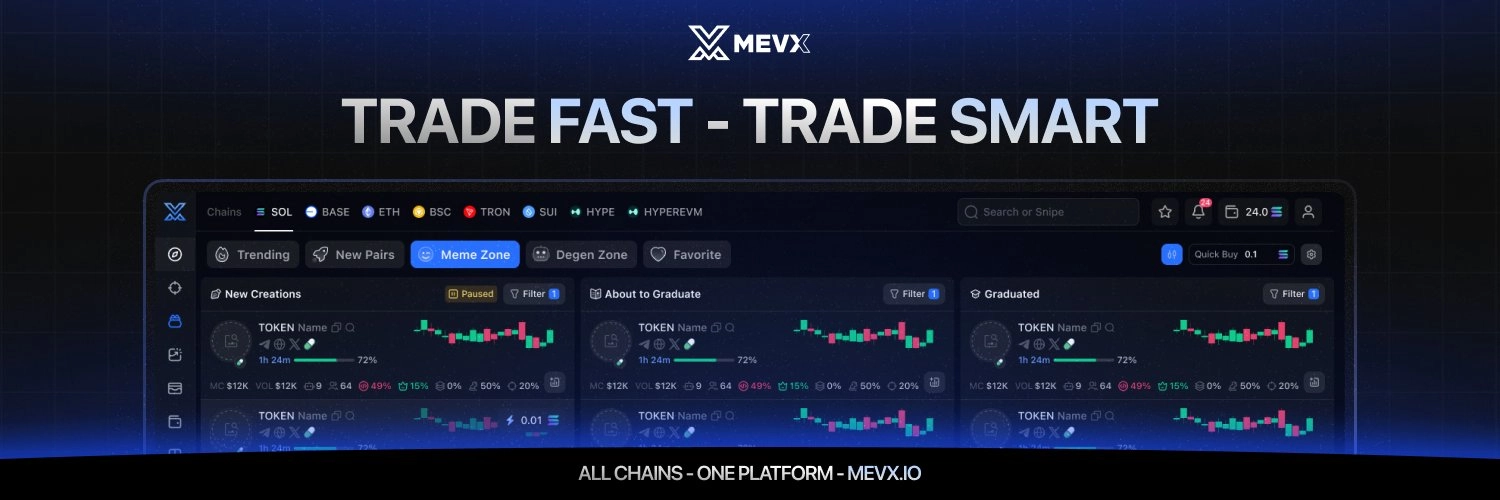
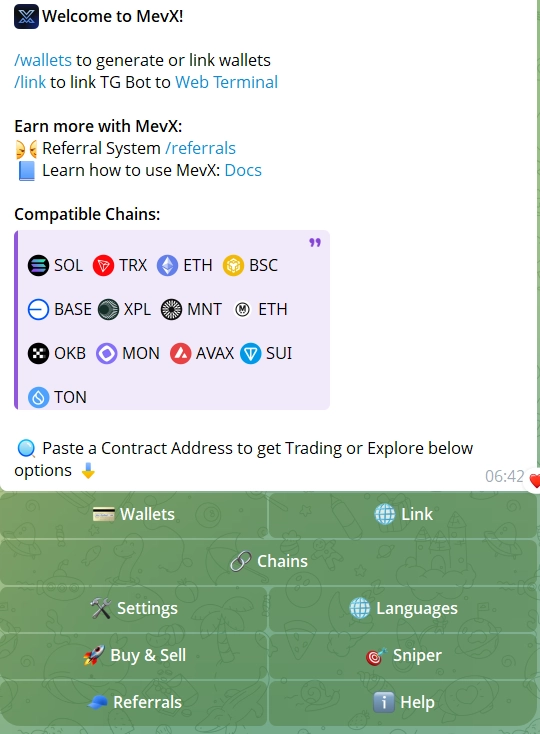
MevX is the fee-conscious pick in this comparison. On BNB Chain specifically, MevX charges just 0.5%, half the rate of Maestro and Sigma. That gap is meaningful for high-volume traders. MevX covers 6 chains: Solana, Ethereum, BSC, Base, Robinhood, and Monad. Unlike the other 2 bots in this guide, MevX operates across 3 interfaces: a Telegram bot, a web app at mevx.io, and a Chrome browser extension that overlays trading controls beside any chart or social feed you are browsing. MevX is KYC-verified by Assure DeFi and runs a private RPC system for anti-MEV protection across supported chains. MevX does not support Arbitrum following its 2.0 update, so traders who need ARB will want a separate tool for that chain. Always access MevX through mevx.io directly, as fake bots with similar names exist on Telegram. The Demo Mode on BNB Chain lets you run live market conditions with virtual funds, test your settings and slippage, then switch to real trading when you are ready. No other bot in this comparison offers that. Want to see how MevX compares to other leading Solana and EVM bots? The full Telegram sniper bot ranking covers the broader landscape across all chains.
- ⚡ Instant Trade Mode: pre-configured one-click trading with custom wallet, buy amounts, and sell percentages.
- 🎯 Sniper Mode: automatically buys new tokens at launch on BSC with customizable presets.
- 👥 Copy Trading: mirror trades of successful wallet addresses in real time.
- 📊 Multichart: view up to 10 token charts simultaneously with direct trading from each chart panel.
- 🫧 Bubble Maps: visual token holder distribution showing related wallets as same-colored bubbles for cluster and concentration detection.
- 📈 Limit Orders by Market Cap: set orders based on market cap targets rather than price alone, a unique feature in this comparison.
- 🔥 Meme Zone and Degen Zone: real-time trackers for emerging meme tokens and sharp volume spikes on BSC.
- 🖥️ Chrome Extension: always-on trading controls overlaid beside any chart or social feed in-browser.
- 📈 DCA: dollar-cost averaging with configurable intervals and amounts.
- 📱 Trailing Stop Orders: available for memecoins across all supported chains including BSC.
- 🎮 Demo Mode: practice trading with virtual funds at zero risk, live on BNB Chain.
MevX: Pros & Cons
- Lowest BSC fee at 0.5%, half the rate of Maestro and Sigma
- Demo Mode on BNB Chain lets you test strategies with zero real-money risk
- Chrome extension overlays trading controls directly in-browser
- Arbitrum not supported following the 2.0 update
- Fake bots exist on Telegram; always access via mevx.io directly
How to Start Trading BSC with Maestro
Open Maestro on Telegram
Search for @MaestroSniperBot on Telegram and tap Start. The bot will generate a new wallet for you automatically. Save your private key immediately (it is shown once).
Fund Your BSC Wallet
Send BNB to the wallet address Maestro provides. Make sure you have enough to cover both your buy amount and gas fees. A starting balance of 0.05–0.1 BNB gives you room to test without overexposing on your first trade. If you are new to BNB Chain, the official BNB Chain documentation covers wallet setup and transfers in detail.
Select BNB Chain and Configure Settings
Use /sniper to open the trading panel and select BNB Chain from the chain selector. Set your default buy amount, slippage tolerance, and gas priority. For competitive BSC launches, set gas to high and enable God Mode for instant liquidity sniping.
Paste a Contract Address or Connect a Signal Channel
Paste any BSC contract address to bring up the token panel and execute a manual buy. Or connect a Telegram signal channel via the Signals feature and Maestro will auto-buy any contract address posted there using your preset parameters. This is where the real speed advantage kicks in on BSC launches.
Set Take Profit and Stop Loss
Once in a position, use Limit Orders 2.0 to set multiple TP levels and a stop loss. Ladder your sells at 2x, 5x, and 10x if you want to ride momentum while locking in partial profits along the way. Positions are tracked automatically in the Positions Ledger.
Is Maestro Bot Legit?
Maestro stores private keys with AES encryption and never exposes them through the interface. It is non-custodial, meaning your funds stay in your own wallet at all times. Its long operating history, on-chain verifiable volume, and patented security features make it one of the most established bots in the space. The built-in contract scanning and Anti-Rug protection are your best first line of defence before entering any BSC position.
How to Spot the Next Big BSC Memecoin
The BSC memecoin market moves in windows measured in seconds, not minutes. Catching a token before it runs 10x requires more than speed: it requires a systematic approach to filtering the noise. Here is how the best traders use these BSC trading bots to find high-potential launches before they become obvious.
- 🔎 Watch for Early Liquidity Adds: the moment a token’s liquidity pool is created on PancakeSwap, you have a narrow window before price discovery kicks in. Maestro’s God Mode and Sigma’s Auto Sniper both trigger on liquidity detection automatically: configure your amount and let the bot do the timing.
- 📊 Check Token Distribution Before Buying: use Maestro’s or Sigma’s built-in contract scanner to check how much of the supply sits in the top wallets. A token where 3 wallets hold 60% of supply is a rug waiting to happen, regardless of how good the chart looks.
- 🧠 Follow Smart Money Moves: Maestro’s Trending List shows tokens with rising activity from high-volume wallets before the broader market notices. If multiple smart wallets are accumulating the same BSC token in the same block window, that is a signal worth acting on.
- 🌍 Monitor Community Growth Rate: a token adding 500 Telegram members in an hour is different from one that has been at 200 for 3 days. Use Maestro’s integrated call channels to stay inside the hype cycle as it develops, not after it peaks.
- 💡 Read the Tokenomics First: buy tax above 5% kills momentum. High max-wallet limits trap traders who want to exit. Both Sigma and Maestro surface tax and contract data directly in the bot before you commit: use that information every time, not just when you are unsure.
- 🛡️ Run Anti-Rug Checks as a Default: Sigma’s Anti-Rug System and Maestro’s patented Anti-Rug Protection flag honeypots and suspicious contract behavior automatically. If either bot raises a flag, treat it as a hard stop, not a yellow light.
The traders who consistently profit on BSC are not faster than the bots: they are more disciplined about which launches they let the bot enter. Speed gets you in. Process keeps you profitable.
Frequently Asked Questions
Maestro leads on features and multi-chain depth, Sigma is the strongest pick for straightforward EVM sniping with chain auto-detection, and MevX offers the lowest BSC fee at 0.5%. The best choice depends on whether you prioritize breadth, simplicity, or cost.
Yes, when using established non-custodial bots like Maestro, Sigma, or MevX. All 3 store your private keys encrypted in your own wallet: they never hold your funds. The underlying risk is the BSC market itself: rug pulls and honeypots are common, which is why built-in contract scanning and anti-rug protection matter.
Maestro uses patented Anti-Rug Protection that detects malicious mempool transactions and frontruns them to sell your position before a rug executes. Sigma flags honeypots and suspicious contracts before entry. MevX includes anti-MEV protection via a private RPC system. None eliminate risk entirely: they reduce it significantly when used correctly.
MevX charges 0.5% on BNB Chain, the lowest of the 3 bots compared here. Maestro and Sigma both charge 1% on EVM chains. Maestro’s cashback program can reduce the effective cost to around 0.7% for active traders at higher volume tiers.
Yes. Maestro supports copy trading on BSC with frontrun and match modes, up to 3 wallets on the free tier and 10 on Premium. Sigma and MevX both include copy trading across supported chains. Maestro also adds signal channel automation, which auto-buys tokens called by any connected Telegram channel.
No. All 3 bots are designed for Telegram and require no coding. Sigma is the most beginner-friendly: paste a contract address and it handles chain detection automatically. Understanding slippage, gas, and tokenomics will improve your results, but you can start trading on BSC within minutes of setup.
Resources