
MevX is a free multi-chain memecoin trading platform that packs a sniper bot, copy trading, analytics, and a full web terminal into one non-custodial tool. Whether you’re a Telegram commands person, prefer a browser extension, or want the full web dashboard, MevX gives you the same execution power no matter which one you pick, across 14 active blockchains. This review breaks down every feature, every supported chain, the real fee rates, and which strategies actually work in practice.
Key Takeaways
- MevX supports 14 chains including Solana, ETH, BSC, Base, Robinhood, TRON, Sui, Avalanche, and more.
- Fees are 0.8% on Solana, 0.5% on BSC, and 0% on TRON, Sui, and Avalanche.
- The team is KYC-verified via Assure DeFi, rare transparency for a trading bot.
- Available as a web terminal, Telegram bot, and Chrome extension simultaneously.
What Is the MevX Trading Bot?
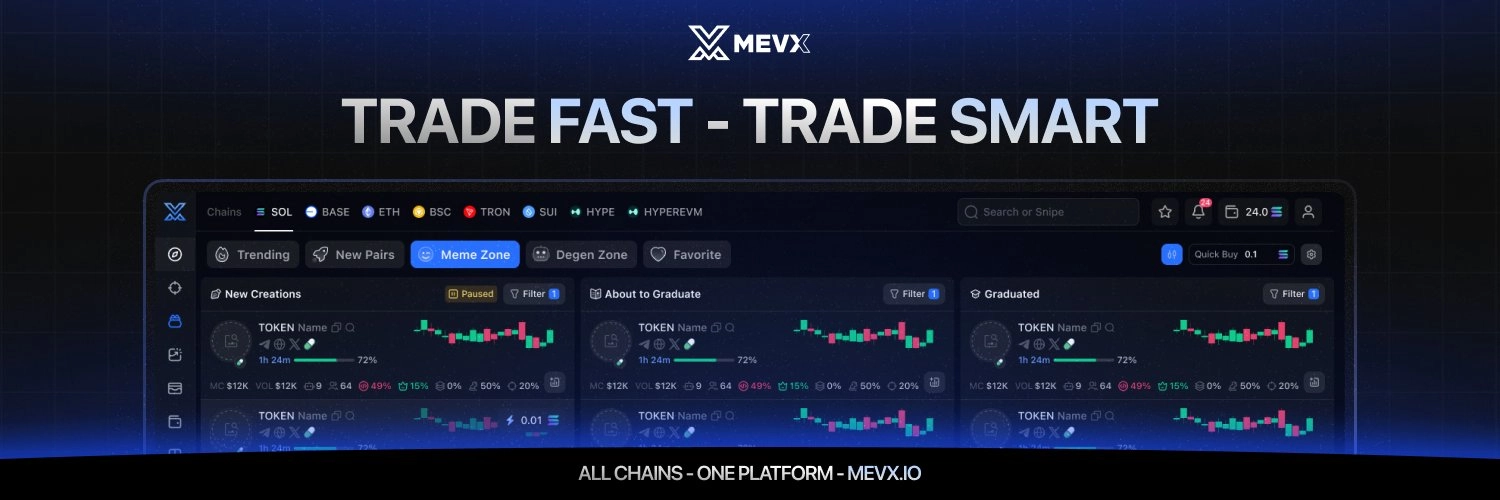
Launched back in May 2024 and upgraded with MevX 2.0 in mid-2025, the platform now runs across three interfaces at once. The MevX Telegram bot handles mobile-first trading with quick commands, which is honestly where most people start. The MevX web terminal gives you the full dashboard experience, charts, multi-chart layouts, discovery tools, the works. And there’s a Chrome extension that overlays trading buttons right on DEX sites and Twitter/X. Use whichever one fits how you trade, or just run all three at once like a lot of active traders do.
MevX covers Solana, Ethereum, BSC, Base, Robinhood, TRON, Avalanche, Sui, Plasma, Mantle, MegaETH, XLayer, and Monad, all from a single account. The Telegram bot also throws TON into the mix. The team went through KYC verification with Assure DeFi, which isn’t something you see often in this space, and there’s no subscription fee at all. You just pay a small per-trade fee that changes depending on the chain.
MevX Features
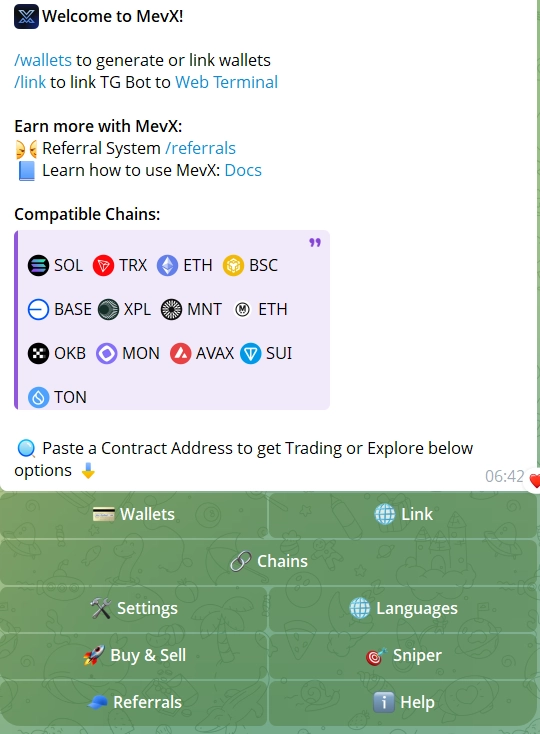
MevX goes way beyond basic sniping. Here’s a rundown of what the platform actually delivers, across all three interfaces.
- 🎯 Sniper Mode: Block-0 and Block-1 entry on new token launches. You set your slippage, tip, and priority fee ahead of time, and the moment liquidity goes live, MevX fires the order for you. There’s a Normal mode and a Pro mode, Pro gives you dynamic slippage and custom min/max fee ranges if you want more control.
- ⚡ Quick Buy / Sell: One-tap market orders with preset amounts, no confirmation screens, no extra clicks. Built for the moments when a token is moving fast and you don’t have time to think twice.
- 👥 Copy Trading: Auto-replicate the buys and sells of any wallet you want to follow. Choose fixed amounts or proportional sizing. You can configure filters for minimum liquidity, market cap thresholds, and anti-MEV protection, so your copy trades skip the sketchy tokens automatically.
- 📈 DCA Orders: Split large entries into scheduled installments at configurable intervals. Handy for averaging into positions during a pump instead of taking full exposure all at once.
- 🎯 Limit Orders: Standard buy and sell orders that trigger at your target price, so you’re not stuck staring at the chart all day.
- 🛑 Auto TP/SL and Trailing Stop: Set take-profit and stop-loss levels that fire automatically. The trailing stop locks in gains as price climbs and exits once it reverses by whatever percentage you set.
- 📊 Multichart: View up to 10 token charts at once, each with live data and trading controls built right in. Great if you’re juggling multiple positions.
- 🫧 Bubble Maps: A visual map of who’s actually holding a token. Related wallets show up as same-colored bubbles, which makes it easy to spot concentrated holdings or coordinated buying before you get in.
- 🔗 Related Wallets: Detects linked wallets, fund flows, and clone accounts right in your Portfolio view. Good for spotting coordinated wallets behind a token before they dump on everyone.
- 🥇 OG Token Identifier: Instantly tells you which token is the real original for a given ticker, so you don’t end up buying a copycat by accident. This comes up a lot on Solana, where clones pop up within minutes of anything trending.
- 🔍 Similar Token Info: Flags reused logos and social links across different tokens. A quick way to filter out scam copies before you put any money in.
- 🔥 Meme Zone, Degen Zone, and Discover: Curated discovery pages for emerging meme tokens (Meme Zone) and tokens with sudden volume spikes (Degen Zone). The Discover tab supports launchpad filtering, including Liquid Protocol tokens on Base, EasyA Kickstart tokens on Solana, and 9999.fun creator tokens on BNB Chain. Each entry shows liquidity, market cap, and audit flags. Sound alerts are available for new launches, bonding curve milestones, and migrations right inside Meme Zone, so you catch moves even when you’re not glued to the screen.
- 🐋 Wallet Tracker: Monitor any on-chain wallet and get alerts the moment it buys or sells. A way to follow smart money without going through the trouble of setting up a full copy trade.
- 📡 KOL Tracker: A real-time social feed of crypto influencer posts with token mentions, so you can see what KOLs are calling before everyone else piles in.
- 🖥️ Chrome Extension Side Panel: Embeds a persistent MevX trading panel next to DEX Screener, Pump.fun, Twitter/X, Solscan, and other sites. Trade without ever switching tabs.
- 📱 Limit Orders by Market Cap: Set buy or sell triggers based on market cap targets instead of raw price. It’s a small feature but it matches how most memecoin traders actually think about entries and exits, and it’s not something every bot offers.
- 🎮 Demo Mode: Practice with virtual funds on BNB Chain before you risk anything real. Good for testing sniper presets and copy trade setups without the pressure.
- 💼 Multi-Wallet Support: Manage several wallets under one account, each with its own name and role. Switch between them instantly in the extension or the Telegram bot.
- 📊 PnL Tracking: A real-time profit and loss view per wallet, with cost basis, current value, and a few display themes to choose from.
Supported Chains and DEX Integrations
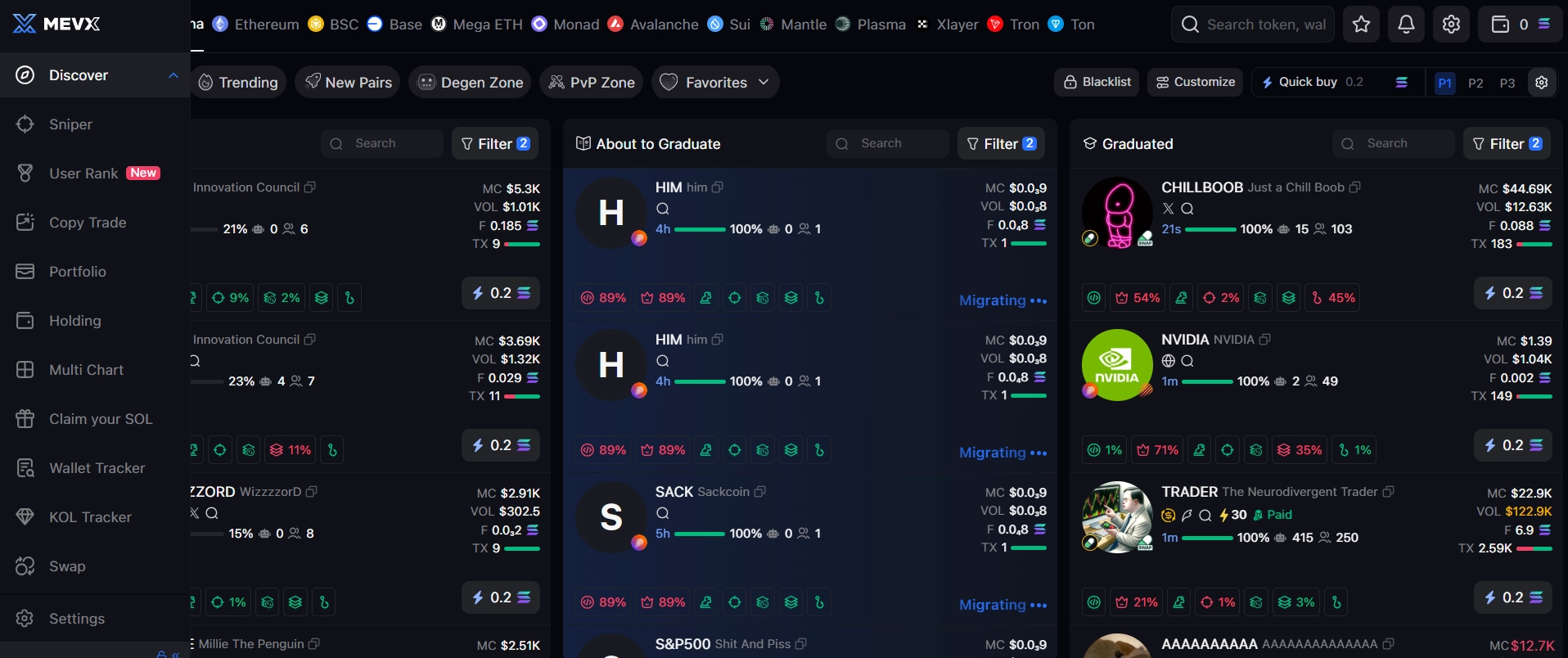
MevX runs across 14 blockchains on the web terminal, and the Telegram bot throws TON into the mix too. Each chain comes with actual DEX integrations behind it, not just a logo tacked onto a list somewhere.
Raydium · Pump.fun · PumpSwap · Orca · Jupiter · Moonshot · Meteora · boop.fun · EasyA Kickstart
Uniswap V2/V3/V4 · SushiSwap V2 · Balancer V3
PancakeSwap V2/V3 · Four.Meme · Uniswap V3/V4 · SushiSwap V2 · 9999.fun
Uniswap V2/V3 · SushiSwap · Clanker · Liquid Protocol
Uniswap · Noxa.fun · vlad.fun
SunSwap · SunPump
Uniswap V2/V3 · Trader Joe
Cetus · Turbos · Aftermath Finance
Plasma native DEXes
Mantle native DEXes
MegaETH native DEXes — web terminal only
XLayer native DEXes
Monad native DEXes
TON native DEXes
The zero-fee chains deserve their own shoutout: TRON, Sui, and Avalanche don’t cost anything in MevX fees, you’re only paying the underlying network gas. If you’re trading often on those chains, that adds up to a real cost advantage over most competing platforms.
MevX also stands out on the Solana side with deeper DEX coverage than most bots, covering Meteora’s multiple pool types, Raydium LaunchLab, EasyA Kickstart, and boop.fun, on top of the standard Pump.fun and PumpSwap routing.
MevX Fees and Pricing
MevX doesn’t charge a subscription fee. You just pay a small percentage on each trade you execute, and the rate depends on the chain. No hidden charges, no monthly plan, no token you need to hold to unlock features.
There’s a built-in referral program too, so you earn back a percentage of fees from traders you bring onto the platform. MevX also runs trading challenges and a points-based ranking system that unlocks extra benefits for active traders, and none of it requires any kind of subscription commitment upfront.
The web terminal gives you access to all the same features as the Telegram bot. Open MevX on web here.
Pros and Cons of MevX

Pros & Cons
- Zero fees on TRON, Sui, and Avalanche, significant for high-volume traders
- 14 chains in one account, including newer ecosystems like Robinhood, Plasma, Mantle, and MegaETH
- KYC-verified team via Assure DeFi, unusual transparency for a trading bot
- Three interfaces (web, Telegram, Chrome extension) with identical feature access
- No published smart contract audit
- Managing three separate interfaces can feel fragmented for new users
Best Strategies with MevX
MevX is built for speed and automation, but honestly the setup matters more than just mashing the buy button. Here are the strategies that actually play to the platform’s strengths.
- 🎯 Block-0 Launch Sniping: Run Sniper Mode in Pro configuration with custom min/max fee ranges. Load your slippage and tip settings ahead of a known launch, and the moment liquidity hits Raydium or Pump.fun, MevX fires in Block 0 or Block 1, before most manual traders have even loaded the pair. Turn on sound alerts in Meme Zone too, so you catch new launches and bonding curve completions without staring at your screen all day.
- 👥 Filtered Copy Trading: Don’t just copy blindly. Set minimum liquidity and market cap filters so your copy trades skip the micro-cap traps. Stick to a fixed dollar amount per copy trade rather than proportional sizing, it keeps your risk constant even when the wallet you’re following goes big on something. And before you turn copying on, run the Related Wallets check in your Portfolio, just to make sure you’re not mirroring a cluster of coordinated accounts.
- 🛑 Trailing Stop with Snipe: After a snipe lands, attach a trailing stop-loss right away. Let the profits run as price climbs and let it exit on its own once it reverses by whatever percentage you’ve set. Sniper entry plus trailing exit is probably one of the cleanest setups MevX supports natively.
- 🔥 Zero-Fee Chain Rotation: If you’re doing a lot of smaller, high-frequency trades, route that activity through TRON, Sui, or Avalanche where MevX doesn’t charge anything. The savings add up fast if you’re doing 20 or more transactions a day.
- 📡 KOL Alert Trading: Set up the KOL Tracker for maybe 3 to 5 influencers you actually trust. When one of them mentions a token, use Quick Buy to get in fast with a preset amount, then set an auto TP somewhere around 2x to 3x. Just run the OG Token Identifier first, so you know you’re buying the real token and not a clone that launched 10 minutes after the KOL’s post. This is a short-term momentum play, not something to hold long term.
- 📊 DCA into Established Tokens: For tokens with real communities on Ethereum or BSC, DCA orders let you build a position gradually instead of dumping in a lump sum all at once. Set up 5 to 10 buys spread over a few hours or days to bring down your average entry cost through the volatility.
Where MevX really has an edge over most competitors is chain-hopping. If a narrative is running on Solana in the morning and migrates to Base or BSC by the afternoon, you’re staying in one platform instead of jumping between five different tools. Combine that with Bubble Maps for holder analysis, the OG Token Identifier and Similar Token Info for filtering out scams, and Meme Zone with sound alerts for discovery, and MevX genuinely earns its place for traders who follow trends across different ecosystems.
How to Use MevX Step by Step
Open MevX on Telegram or Web
Head to MevX on Telegram or open the MevX web terminal. Both give you full feature access. The web terminal is better if you want to do chart analysis with multi-chart layouts, Telegram is faster when you’re trading on the go.
Create or Import Your Wallet
MevX generates a non-custodial wallet for you the first time you use it. Save your private key right away, it only gets shown once and there’s no getting it back if you lose it. If you’ve already got a wallet, you can import it through the wallet manager instead. You can also add multiple wallets with custom names if you’re running different strategies.
Select Your Chain and Fund Your Wallet
Use the chain selector to pick your trading chain, Solana, BSC, TRON, Base, Robinhood, or any of the 14 supported networks. Send the chain’s native token over to your MevX wallet address. Start small until you get a feel for how slippage behaves on each network.
Configure Your Sniper Presets
Before a launch, head into Sniper Mode and set your slippage, tip amount, and priority fee. You can enable Anti-MEV for sandwich protection, just know it can slightly increase the chance of a failed transaction. Save your preset so you’re ready to fire instantly the moment a target launches. If you want audio pings for new launches and bonding curve completions, turn on sound alerts in Meme Zone.
Set Up Copy Trading or Limit Orders
For copy trading, paste in the target wallet address and set your max buy amount, minimum liquidity filter, and auto-sell settings. Run the Related Wallets check first to make sure there aren’t any linked accounts before you activate it. For limit orders, just paste in a token contract address, set your entry or exit price, and confirm. Both keep running automatically even while you’re offline.
Monitor with the Wallet Tracker and PnL Panel
Add the wallets you want to follow in the Wallet Tracker and set alert filters for buy size and token type. Check your PnL panel regularly to see real-time profit and loss across all your positions and wallets. And if you want to test your setup before risking real funds, run through it in Demo Mode first.
Is MevX Legit and Safe to Use?
Your funds never actually leave your wallet. MevX just submits transactions to DEX smart contracts on your behalf, it can’t move anything without your signature. There’s no published smart contract audit for MevX itself, though it’s routing into existing audited DEX contracts rather than running its own. So far there haven’t been any reported security incidents.
One practical warning: fake MevX bots are floating around on Telegram. Stick to the official link at mevx.io or the verified links in this review, and never respond to unsolicited DMs claiming to be MevX support.
Frequently Asked Questions
MevX is a multi-chain memecoin trading platform you can use as a Telegram bot, a web terminal, or a Chrome extension. You fund a non-custodial wallet, pick your chain, and use the built-in tools, sniping, copy trading, limit orders, to automate your entries and exits across 14 blockchains.
Yes, it’s safe in the sense that matters most: MevX is non-custodial, so your funds never leave your wallet. The team went through KYC verification with Assure DeFi, which you don’t see often with trading bots. No hacks or fraud reported since launch either. The real risk here is on the market side, memecoin volatility and normal on-chain slippage, not the platform itself.
MevX charges 0.8% per trade on Solana, 0.5% on BSC, and nothing at all on TRON, Sui, and Avalanche. Other chains sit around 1%. There’s no subscription fee and no premium plan, you only pay when a trade actually goes through.
The web terminal covers 14 chains: Solana, Ethereum, BSC, Base, Robinhood, TRON, Avalanche, Sui, Plasma, Mantle, MegaETH, XLayer, and Monad. The Telegram bot adds TON on top of that. Each chain hooks into its major DEXes for live sniping and trading.
You enter a target wallet address and set up your copy settings, fixed buy amount or proportional sizing, minimum liquidity filters, max spend per token, auto-sell rules. From there MevX mirrors that wallet’s trades in real time. You can turn it off whenever you want, and auto-sell takes care of exits on its own.
Kind of both, honestly, it depends on how you trade. If you’re Solana-only, dedicated bots like Trojan have deeper Solana-specific optimization. But where MevX really wins is multi-chain, if you’re trading across Solana, BSC, Base, and TRON, it handles all of them from one account, and three of those chains cost you nothing in fees.
Resources