

What Bloom bot is: v2.0 and its two bots
Bloom is a non-custodial Telegram trading bot launched in Q4 2024 and rebuilt on a v2.0 architecture for sub-millisecond event detection. It ships as two bots: Bloom Solana for Raydium, Pump.fun, Orca and Meteora, and Bloom EVM for Ethereum, BSC, Base, HyperEVM, Arc and Robinhood Chain. We rate it 4.1 out of 5.
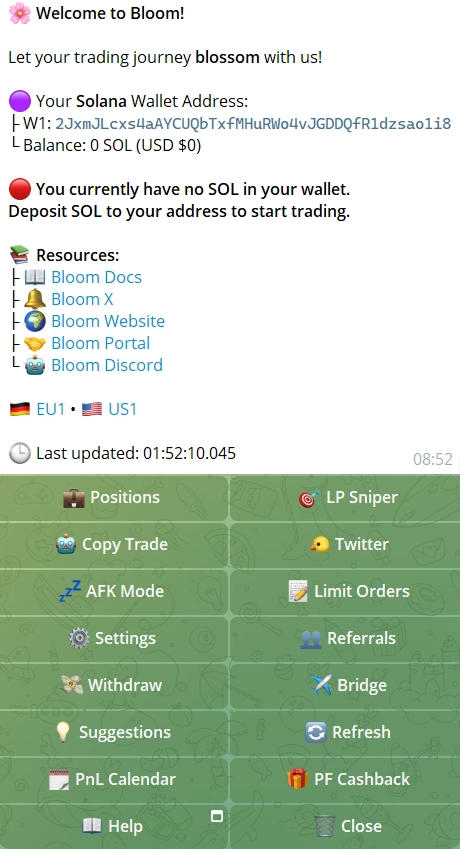
Speed isn't the whole pitch. What sets Bloom apart from a plain sniper is the automation stacked on top: AFK Mode, an X (Twitter) scraper, image OCR for contract addresses and a Chrome extension. That matters most if you can't sit in front of a chart all day.
Bloom features, without the fluff
The tools that change how you trade, and the ones that only look good on a feature list, are not the same. These are the first kind.
- Sub-millisecond detection: v2.0 picks up chain events before most bots finish processing the block; the team reports an average snipe of about 0.15 s on Solana. Detection speed isn't a guaranteed fill.
- Sniper with multi-limit orders: instant launch entries with your slippage and priority fee, plus stacked buy and sell levels.
- Copy trading: custom sizing, a reverse mode, minimum-sell triggers, a Max Dev Holdings filter that skips tokens where the dev holds too much, and Max Slot Difference, which cancels when your entry lags the target too far. On Base you can copy straight from fomo.family profiles.
- AFK Mode: fully automated trading around the clock from X signals, Telegram alpha groups and OCR on screenshots.
- Auto Orders Groups: named groups of auto orders that turn into live limit orders together when triggered.
- Degen Mode with Reset: buys each token only once; Reset clears the history when you want re-entries.
- Chrome extension: buy and snipe buttons over DEXScreener, Photon, BullX Neo, GMGN, Pump.fun, Solscan and APE Pro.
- Bloom Manager and Quick Panel: a desktop web hub to archive and split wallets and run portfolio tasks, plus Quick Panel overlays from the extension.
- In-bot bridge: move tokens between chains through deBridge without leaving Telegram.
- MEV protection and anti-rug: Jito on Solana against sandwiches, dev-sell detection and rug filters before every buy, and an Anti-Snipe Mode that skips FourMeme tokens with active anti-snipe protection.
- PnL, leaderboard and alerts: live positions, shareable PnL cards, a public leaderboard, Whale and price alerts.
- 25 wallets: across both bots, for separate strategies.
- AI assistant: a mini-app behind the Help button that answers setup questions with links to the docs.
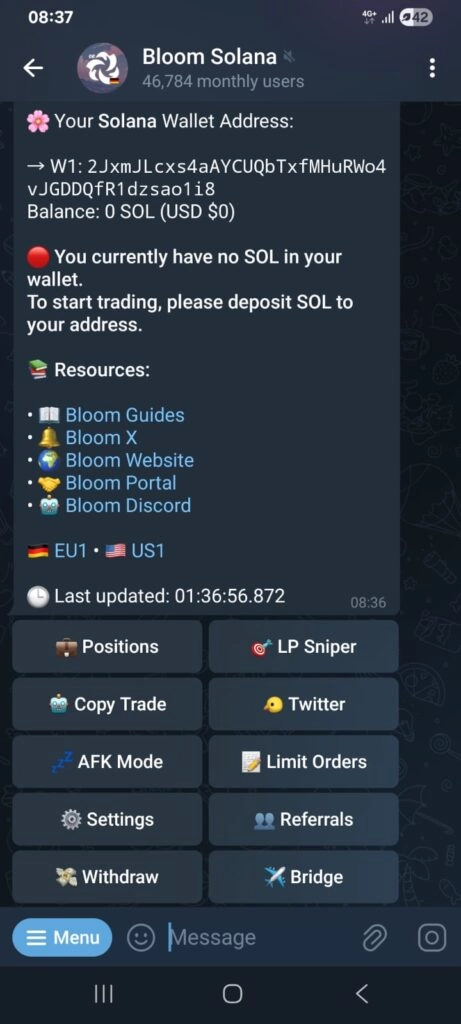
The real strength is how these stack in one task: copy trading with a dev-holdings filter, inside AFK Mode, triggered by X signals, in sell-only copy mode so your manual positions stay untouched. Getting that much control with no subscription is unusual. The clip below is Bloom's own promotional teaser for EVM Bot 2.0.
Bloom X sniping: buying on a post
Bloom turns X activity into trades on both Solana and EVM, without you watching a feed. The scraper finds contract addresses in tweets, replies, reposts and even screenshots through OCR. In AFK Mode, point it at accounts or hashtags and it buys the moment a token is mentioned.
Two triggers go further. Tweet Interaction buys when a target account replies to, retweets or quotes a tweet you picked, useful for accounts that signal conviction through engagement rather than calls. User Interaction buys or sells a chosen token when a target account follows or unfollows someone. A Social Tasks tracker monitors accounts, posts, follows and contract addresses in one place.
Keep expectations straight: detecting a post fast doesn't mean filling at a good price. On a hyped mention, dozens of bots hit the same token, so pair every X trigger with a size cap and a stop-loss.
Bloom strengths and its short track record
Fast detection and deep automation, from a team you can't identify and a product with less history than the veterans.
Strengths and limits
Strengths
- Sub-millisecond detection, about 0.15 s average snipe on Solana (team figure)
- Two bots covering Solana and seven EVM chains, HyperEVM, Arc and Robinhood Chain included
- 10% automatic cashback, about 0.9% effective fee
- AFK Mode, X OCR and copy trading run 24/7 without you
Limits
- Anonymous team and no third-party smart contract audit
- Separate Solana and EVM bots make the workflow a little fragmented
Chains and DEXes Bloom trades on
The Solana bot is the more mature product; the EVM side runs Ethereum, BSC, Base, HyperEVM, Robinhood Chain, Arc and Ink in one interface under Bloom EVM 2.0.
| Chain | DEXes and launchpads |
|---|---|
| Solana | Raydium, Orca, Jupiter, Pump.fun, Meteora, Moonshot, LaunchLab, DAOS.fun |
| Ethereum | Uniswap V2, V3 and V4, Trench.today pre-bonding |
| BNB Chain | PancakeSwap V2/V3, FourMeme, FLAP, USDT pairs |
| Base | Aerodrome, V4 pools (module rebuilt in March 2026), fomo.family copy trading |
| HyperEVM | HyperSwap |
| Robinhood Chain | Uniswap, Virtuals, Noxa, USDG pools, Bankr, Flap and Flap Stock, Fomo, Bags.fm |
| Arc | Uniswap V2, V3 and V4 |
A few details matter for degens. The Pump.fun Mayhem filter works on copy trading, X and AFK tasks, so you can target or exclude Pump.fun's most volatile pool.
On BSC, USDT is supported across FourMeme, copy, AFK and X tasks. And Pump.fun limit orders can key off fee-claim events, a niche trigger for traders who time those windows. If you weigh Bloom against an established EVM tool, remember the EVM side is still catching up in depth.
Bloom fees: 1%, referral discount and cashback
Bloom charges a flat 1% on every executed buy and sell, with no subscription and no withdrawal fee beyond network gas. The 10% automatic cashback brings the effective cost to about 0.9% without you doing anything.
A referral code drops the headline fee to 0.9% before cashback, and the XP Growth System stacks on top: each trade earns XP, and higher levels unlock lower fees and extra rewards. For an active trader, the cost keeps falling the more you trade. To see the effect on your own sizes, use our fee and slippage calculator.
How to set up Bloom on Solana
Seven steps from Telegram to an automated position.
- Open the bot. Start Bloom Solana (or Bloom EVM for EVM chains), tap Start and pass the captcha.
- Set up the wallet. Bloom creates a non-custodial wallet on first launch, or you import one. The private key is AES-encrypted and never sent to Bloom's servers.
- Fund it. Send SOL for the Solana bot, or ETH, BNB or the relevant gas token for EVM. Keep a little for gas on top of your trading capital.
- Set slippage, gas and protection. In Settings, choose slippage and priority fee, and switch on MEV Protection and Rug Guard. On Solana, 1.2x gas priority is a solid start for competitive launches.
- Snipe or trade. Paste a contract address for an instant snipe, or manage open trades from Positions. Bloom detects the token and routes through the best DEX for you.
- Turn on AFK Mode or copy trading. Point AFK Mode at X accounts or Telegram groups, or add a wallet to copy with a size and a Max Dev Holdings filter. On Base, paste a fomo.family profile link.
- Withdraw any time. No lockup and no fee beyond network gas.
Bloom automation setups that hold up
Speed alone doesn't make money; filters, automation and risk rules do.
- 🐋 Copy Whales, filter dev risk: copy a proven wallet with Max Dev Holdings set to skip tokens where the dev controls more than 5% to 10% of supply.
- 🔒 Locked liquidity as a hard rule: use the rug filters to buy only tokens with more than 70% of liquidity locked. Fewer trades, better odds.
- ⛽ Gas boost on hot launches: on crowded Pump.fun launches, 1.2x the network priority fee costs little and often lands you in the first block instead of two or three behind.
- 🐦 AFK on X with a stop in place: auto-buy on contract mentions from chosen accounts, with a stop-loss 20% to 25% below entry so losers close without you.
- 🔄 Sell-only copy trading: the Sell Only Copy Trading Buys toggle exits only copy-opened positions and never touches what you bought by hand.
- 🆕 Auto Orders Groups for launches: a buy trigger plus stacked TP levels in one group, all going live as limit orders together when a token matches.
- 🌐 fomo.family on Base: mirror traders that community has already vetted instead of sourcing wallets yourself.
The point is that these layers run as one task: copy trading with a dev filter, inside AFK Mode, triggered by X and covered by MEV protection.
Bloom's anonymous team: how much it matters
Bloom is a legitimate, actively developed bot: non-custodial, AES-encrypted, with Jito MEV protection on Solana, steady uptime and regular updates through 2026. It never asks for a seed phrase, and anyone who does is a scammer.
The honest caveat is the anonymous team and the absence of a third-party audit. If you need named founders or audited contracts before committing real capital, factor that in.
It isn't a reason to avoid Bloom, but it is a reason to keep only trading capital in its wallets and to start small. Our guide on whether sniper bots are safe covers the checks that apply to any bot, and AI agents vs trading bots shows where automation like AFK Mode fits.